A picture is a good place to start

What do you want to make sense of?

Pick a course, or find the concept that's been on your mind.
Jump to concept search

Find your next skribble

Straight to the idea.
Buy a course

156 skribbles to explore

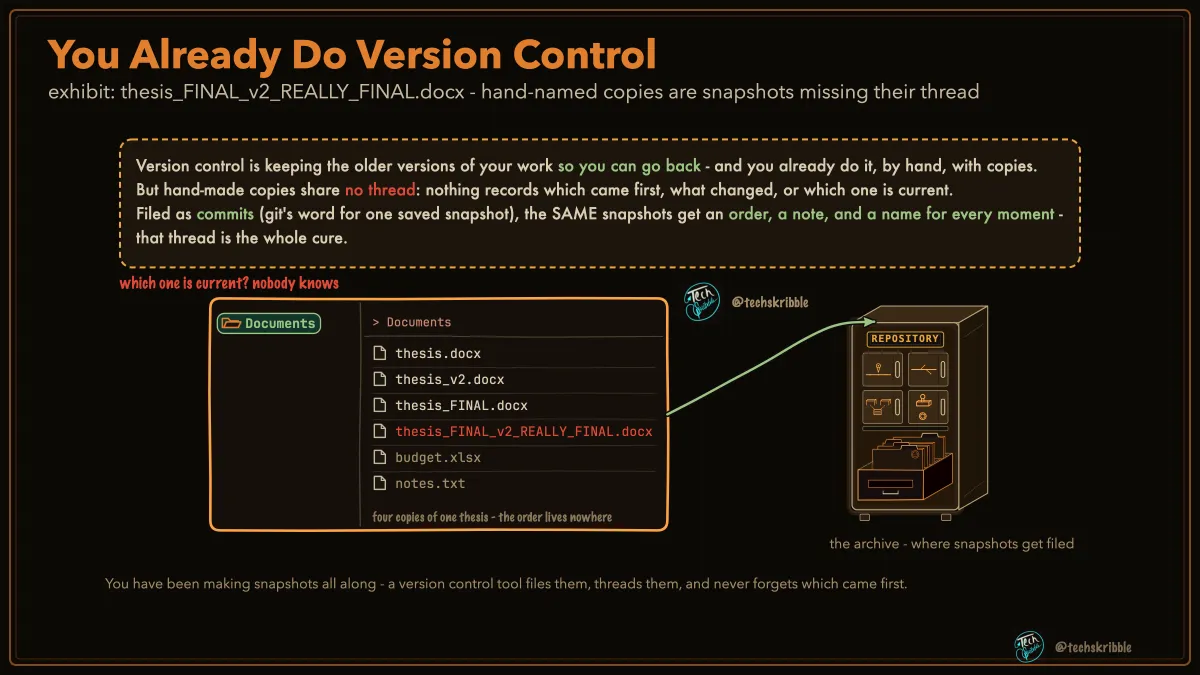
You Already Do Version Control

You Already Do Version Control

Hand-named copies feel like history, but lose the thread between versions.

beginnerFree
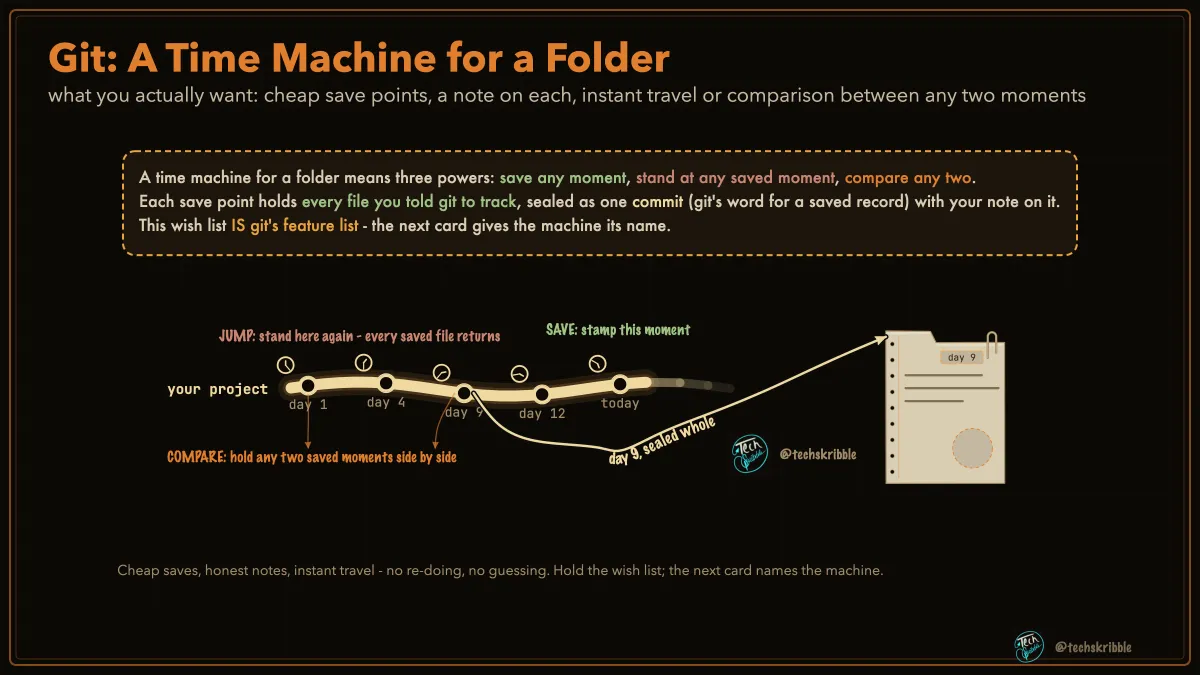
Git: A Time Machine for a Folder

Git: A Time Machine for a Folder

what you actually want: cheap save points, a note on each, instant travel or comparison between any two moments

beginnerFree
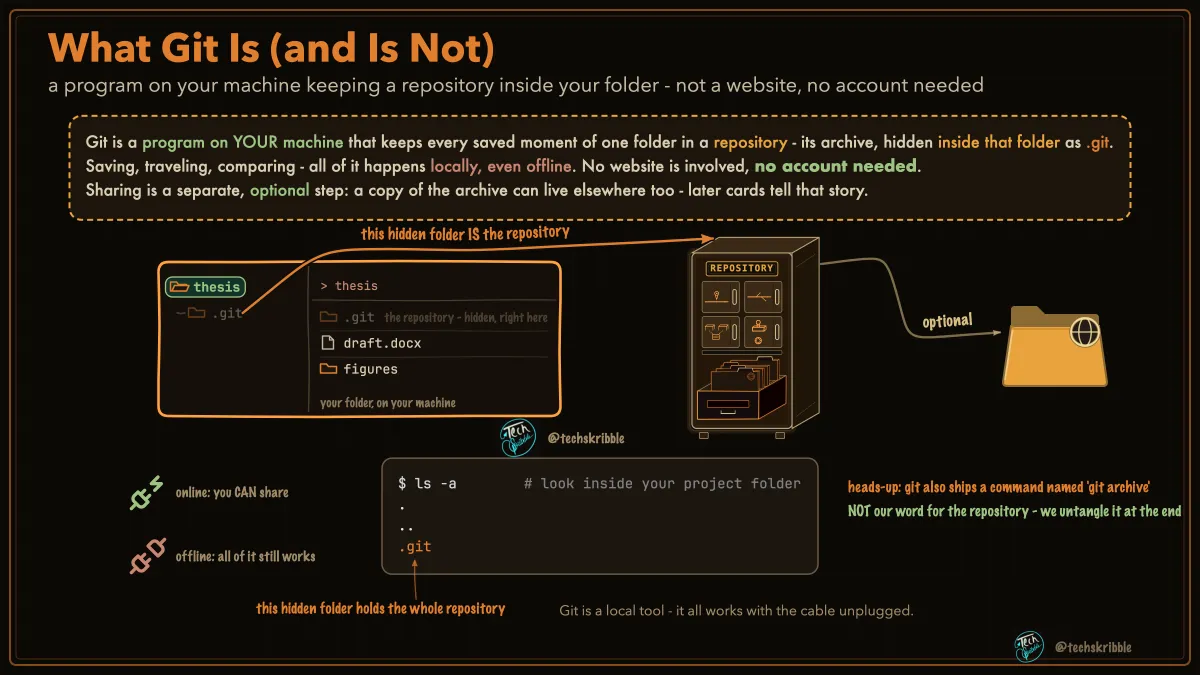
What Git Is (and Is Not)

What Git Is (and Is Not)

a program on your machine keeping a repository inside your folder - not a website, no account needed

beginnerFree
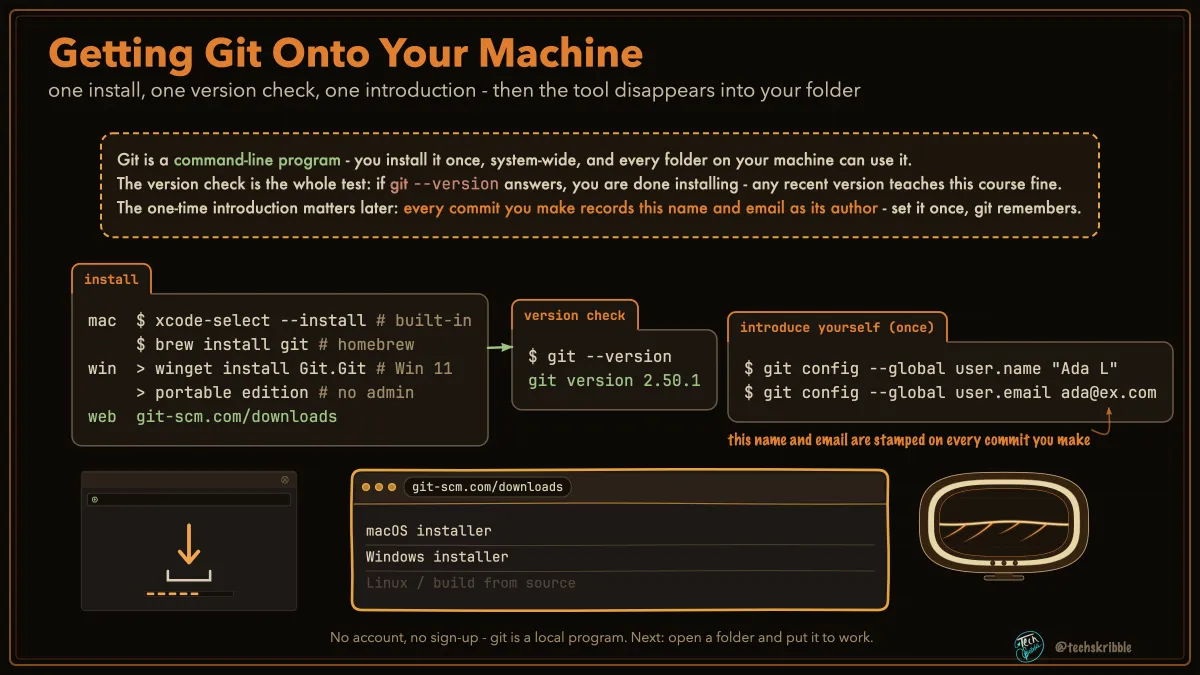
Getting Git Onto Your Machine

Getting Git Onto Your Machine

one install, one version check, one introduction - then the tool disappears into your folder

beginnerFree
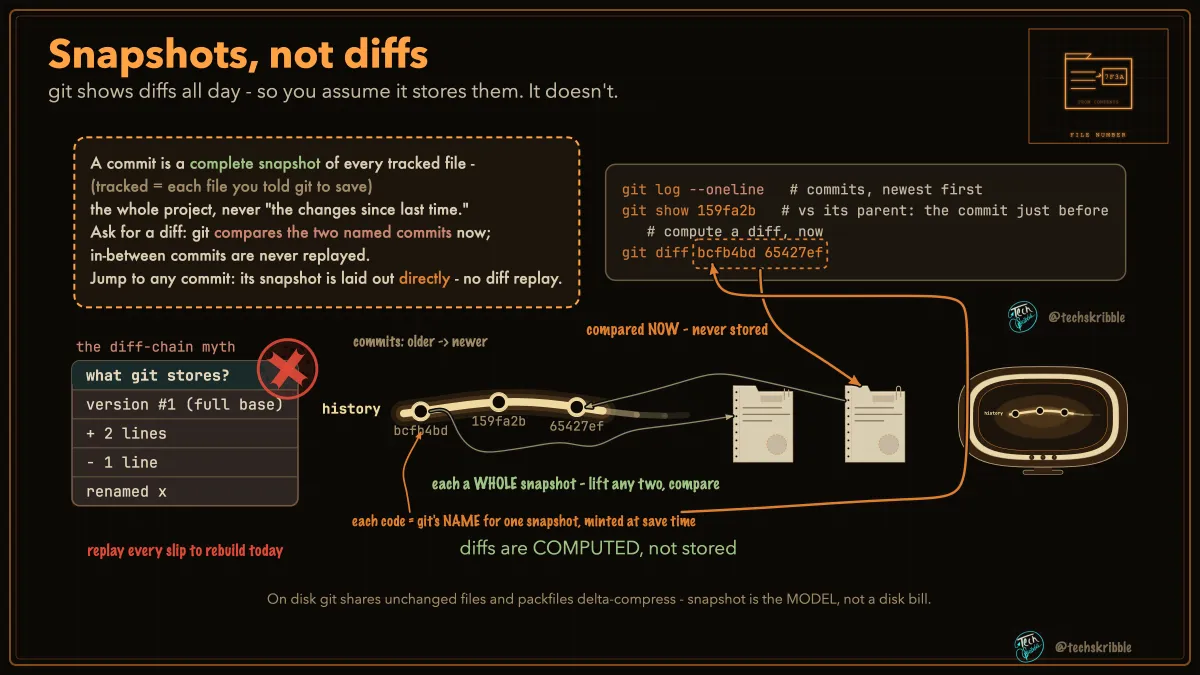
Snapshots, not diffs

Snapshots, not diffs

git shows diffs all day - so you assume it stores them. It doesn't.

beginnerFree
The Verbs You Will Keep Using
๐Ÿ”’

The Verbs You Will Keep Using

twelve everyday commands - meet their names now, master each when its module comes

beginnerPremium
A Commit Holds Your Whole Folder
๐Ÿ”’

A Commit Holds Your Whole Folder

every dot on the history line is a full snapshot of every tracked file - watch the folder change, commit by commit

beginnerPremium
One File, Three Moments
๐Ÿ”’

One File, Three Moments

ask each commit for pasta.md: it answers with the whole file as it was - or says it was not there yet

beginnerPremium
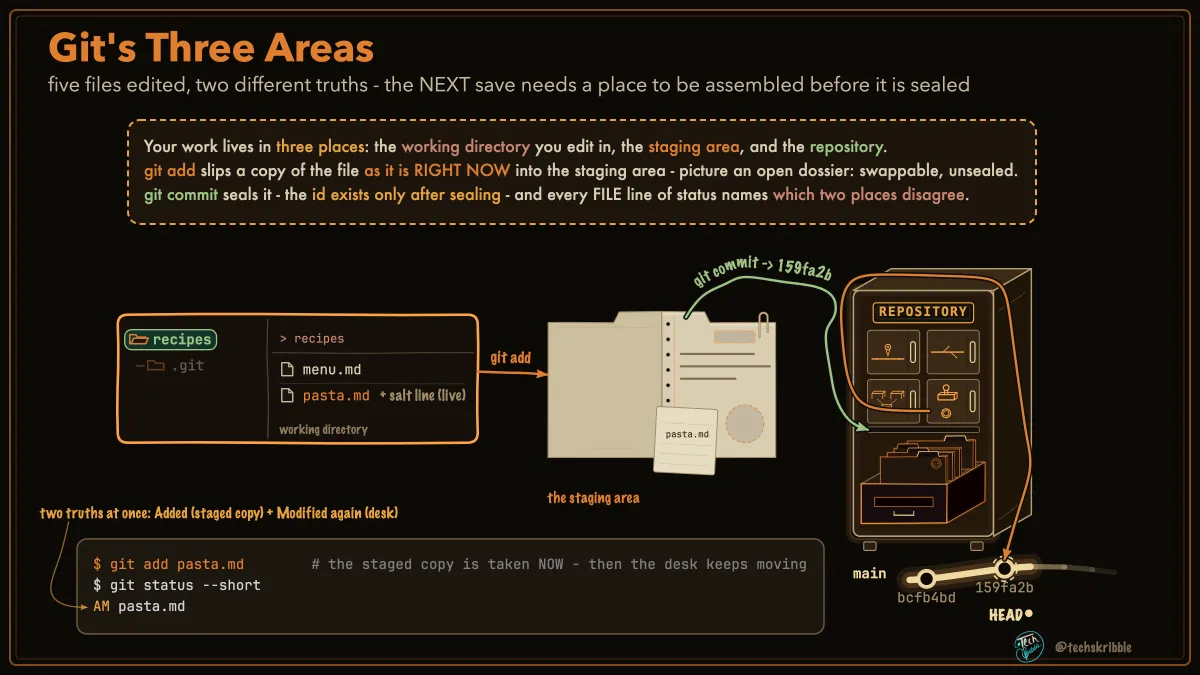
Git's Three Areas

Git's Three Areas

five files edited, two different truths - the NEXT save needs a place to be assembled before it is sealed

beginnerFree
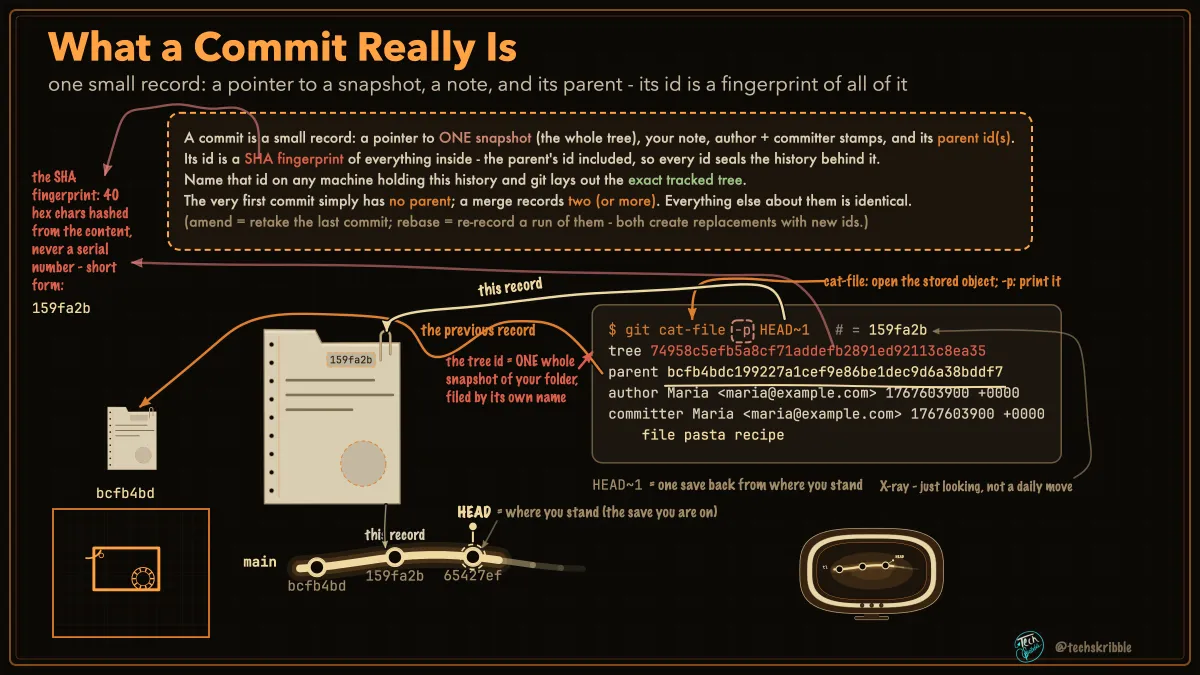
What a Commit Really Is

What a Commit Really Is

one small record: a pointer to a snapshot, a note, and its parent - its id is a fingerprint of all of it

beginnerFree
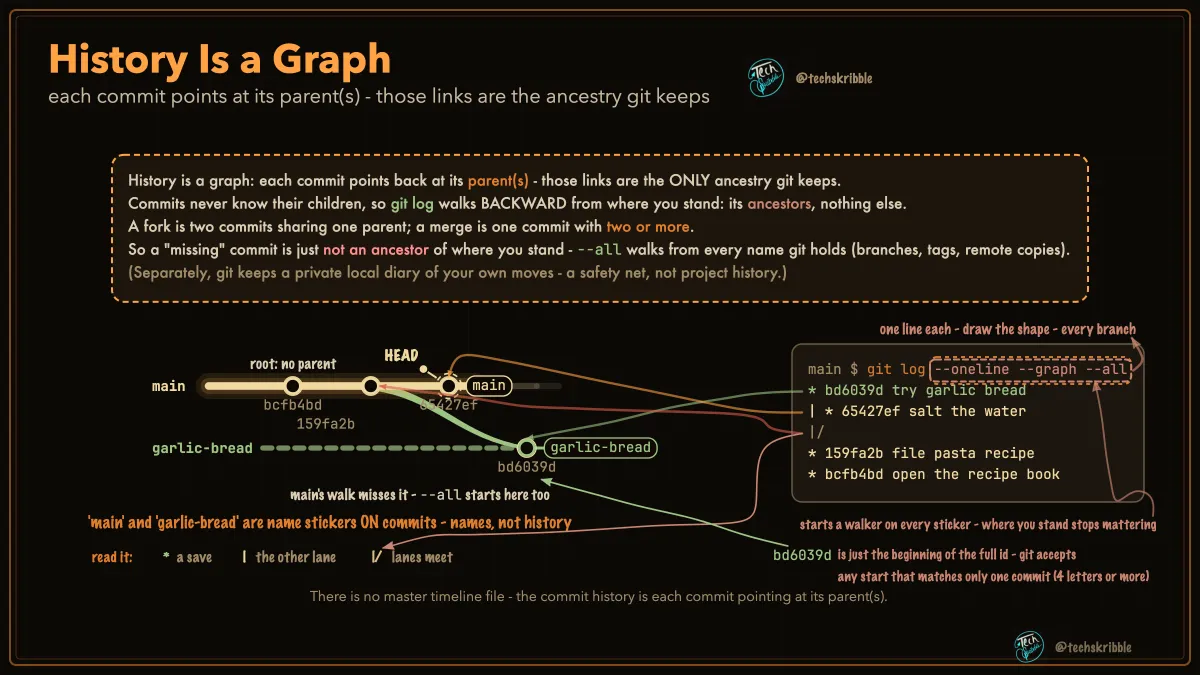
History Is a Graph

History Is a Graph

each commit points at its parent(s) - those links are the ancestry git keeps

beginnerFree
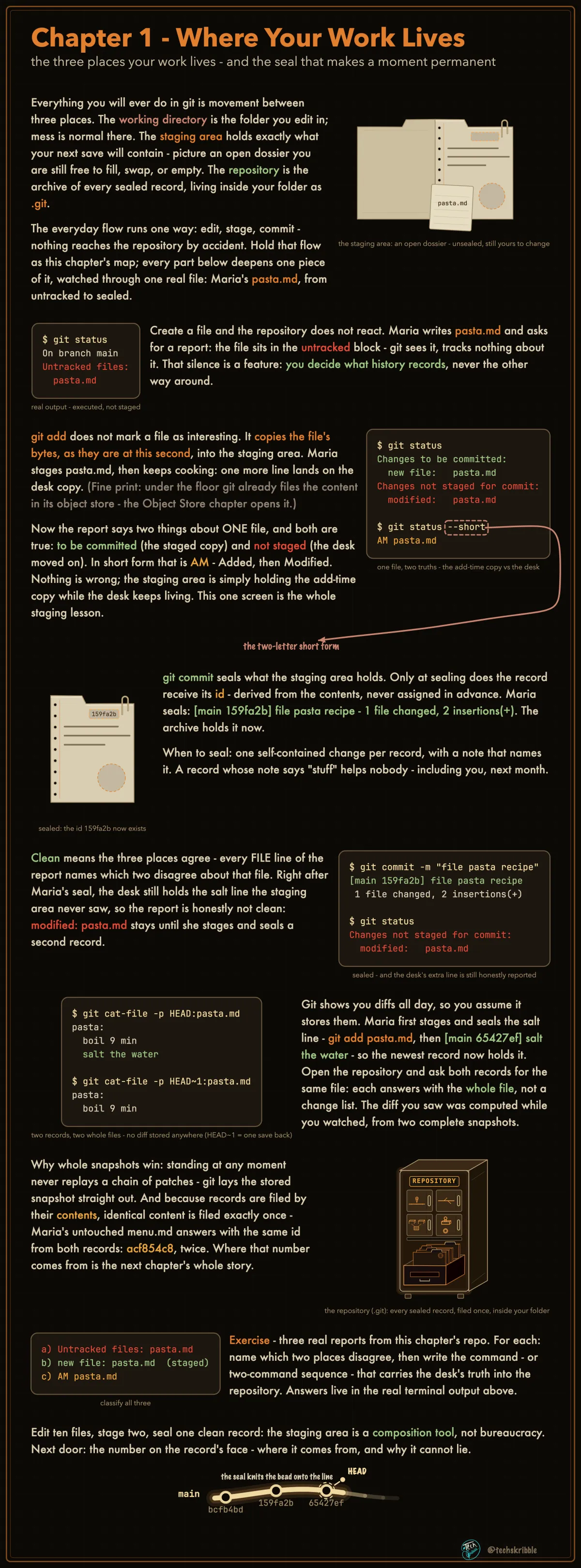
Where Your Work Lives

Where Your Work Lives

the three places your work lives - and the seal that makes a moment permanent

beginnerFree
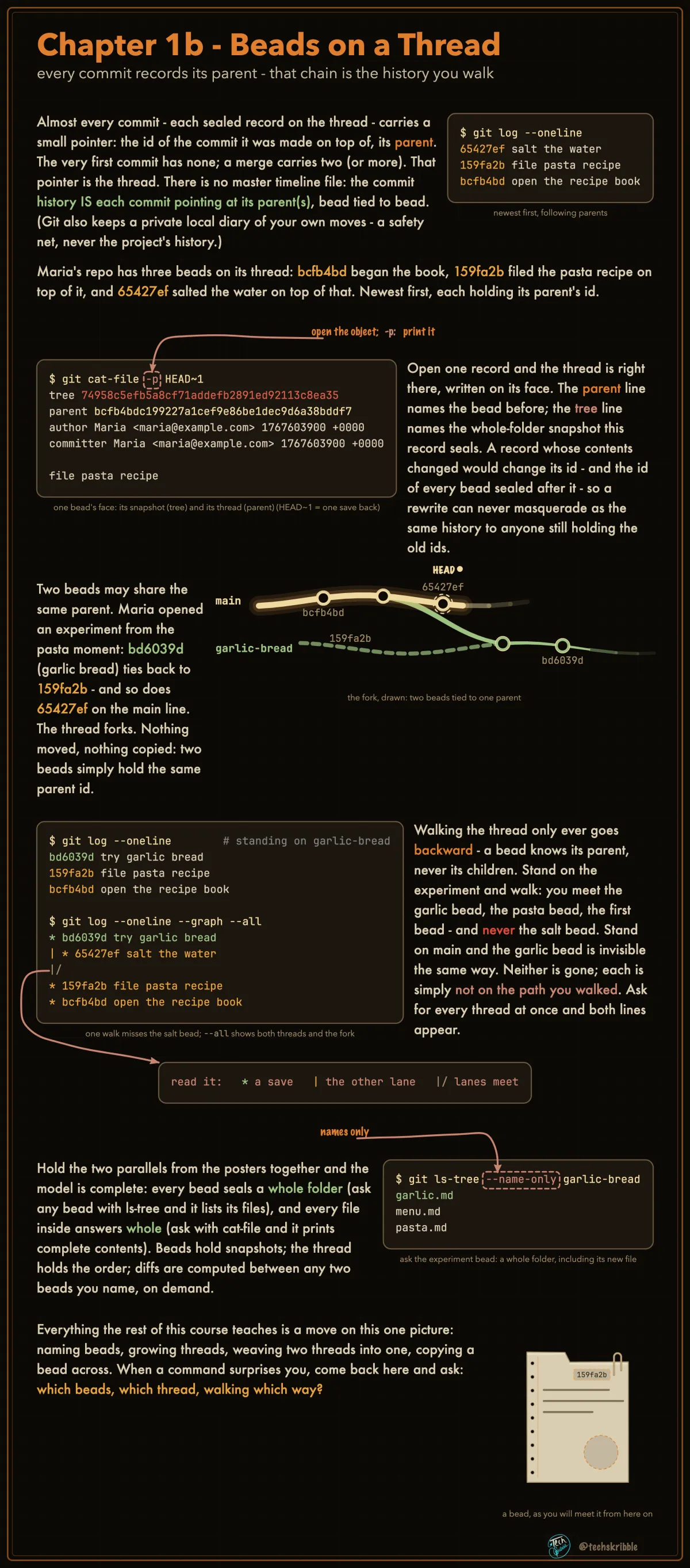
Beads on a Thread

Beads on a Thread

every commit records its parent - that chain is the history you walk

beginnerFree
The Prompt Shows Where You Stand
๐Ÿ”’

The Prompt Shows Where You Stand

every command acts FROM a branch - print that branch before the $ and you always know where you stand

beginnerPremium
Blobs, Trees, Commits
๐Ÿ”’

Blobs, Trees, Commits

git stores a snapshot as small objects, and a commit RECORDS it - the commit points at ONE tree, trees name blobs

beginnerPremium
Content Addressing
๐Ÿ”’

Content Addressing

an object's id is DERIVED by hashing its bytes - identical content gets the identical name, automatically

beginnerPremium
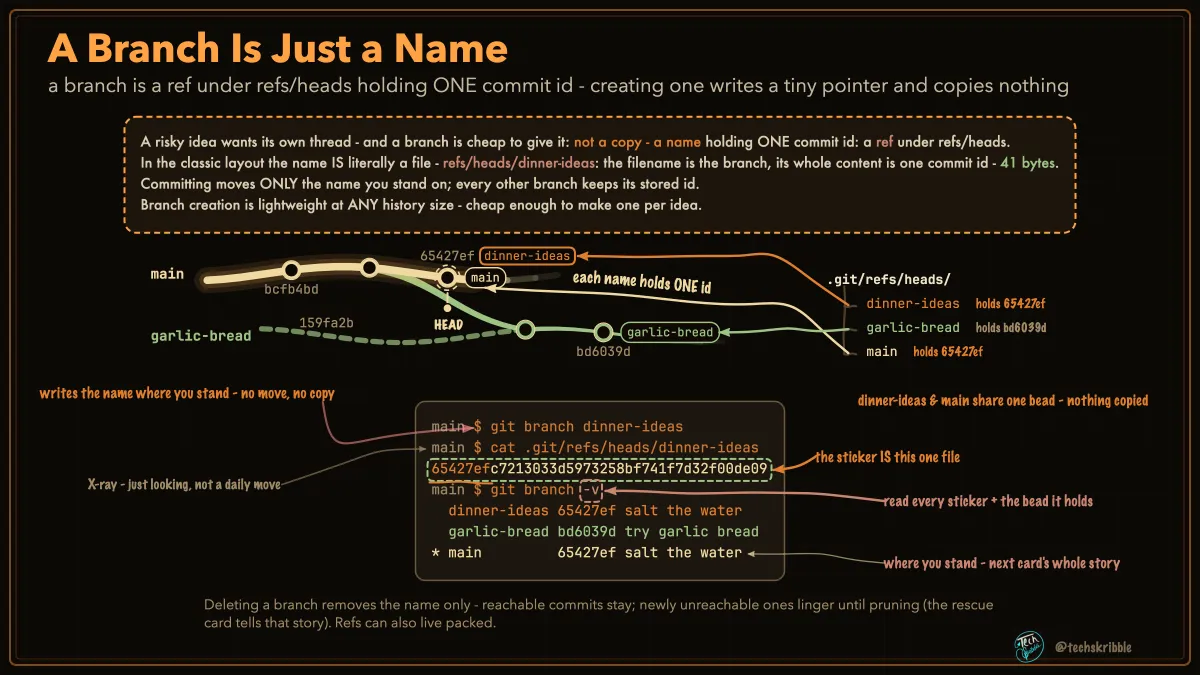
A Branch Is Just a Name

A Branch Is Just a Name

a branch is a ref under refs/heads holding ONE commit id - creating one writes a tiny pointer and copies nothing

beginnerFree
HEAD: Where You Are Standing
๐Ÿ”’

HEAD: Where You Are Standing

the you-are-here pin - normally pinned THROUGH a branch name, which is why your branch follows you

beginnerPremium
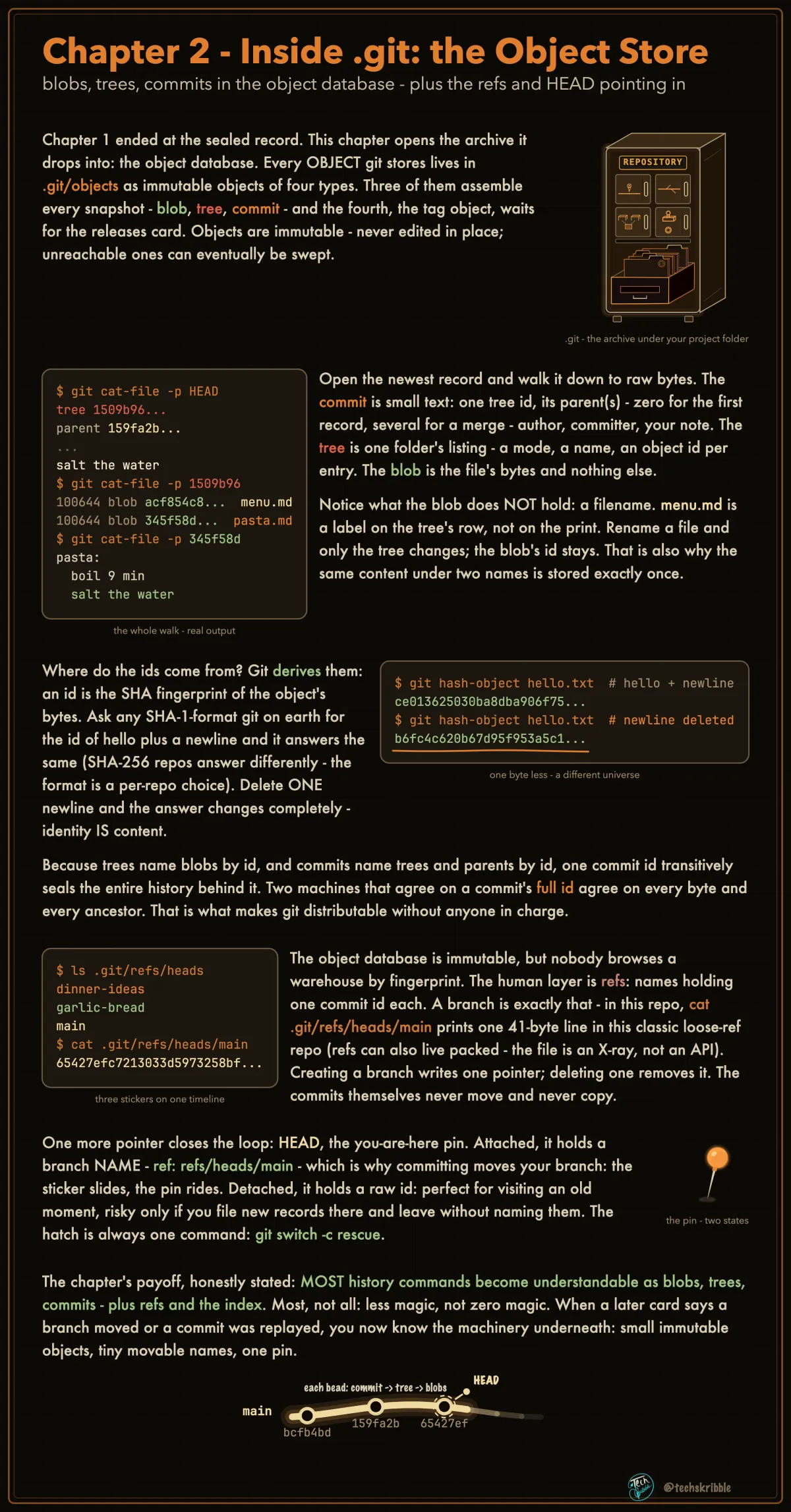
Inside .git: the Object Store

Inside .git: the Object Store

blobs, trees, commits in the object database - plus the refs and HEAD pointing in

beginnerFree
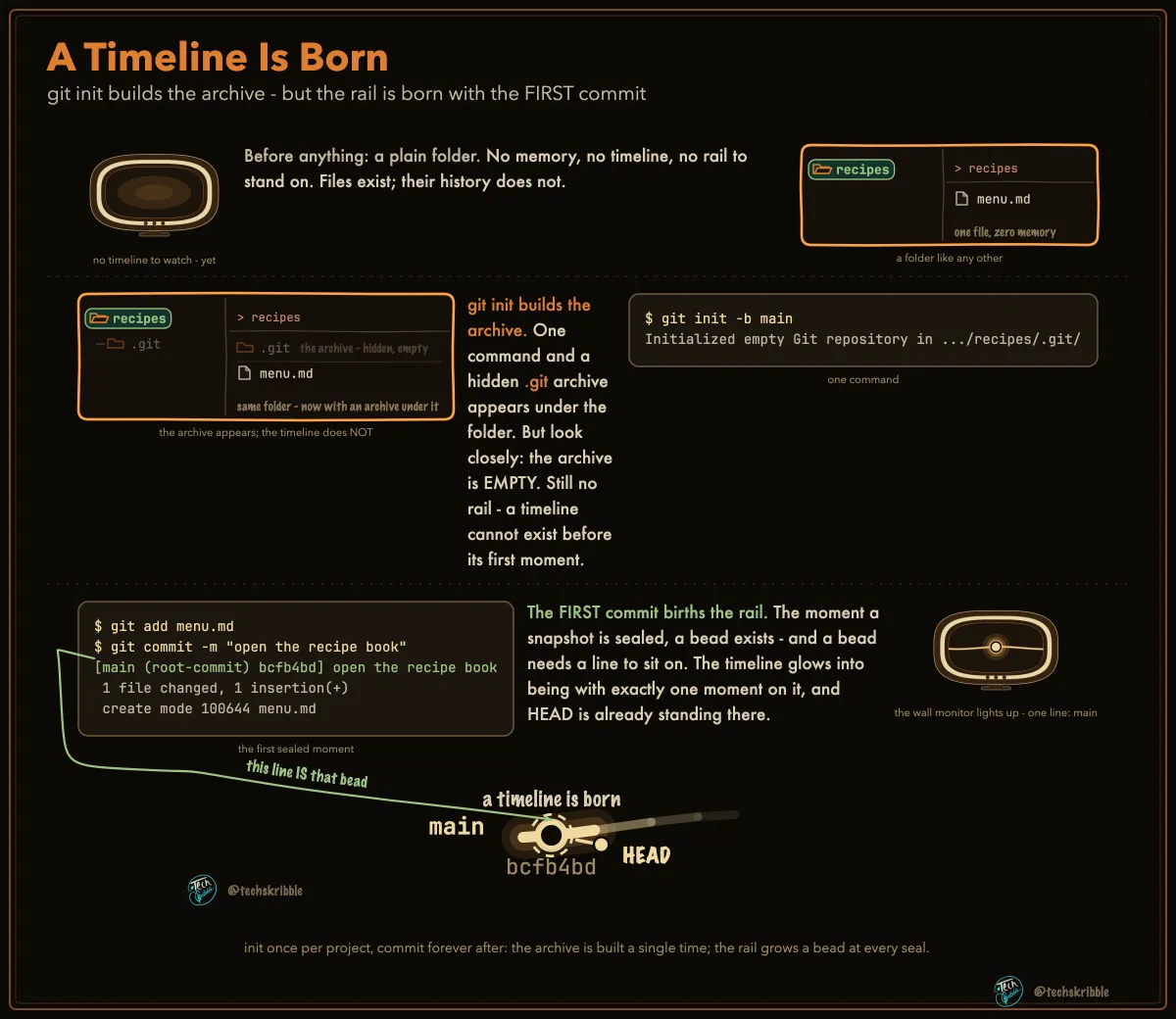
A Timeline Is Born

A Timeline Is Born

git init builds the archive - but the rail is born with the FIRST commit

beginnerFree
git init & git clone - Two Ways to Get a Repository
๐Ÿ”’

git init & git clone - Two Ways to Get a Repository

init starts version control in a folder you already have; clone copies an existing project onto your machine - history and all

beginnerPremium
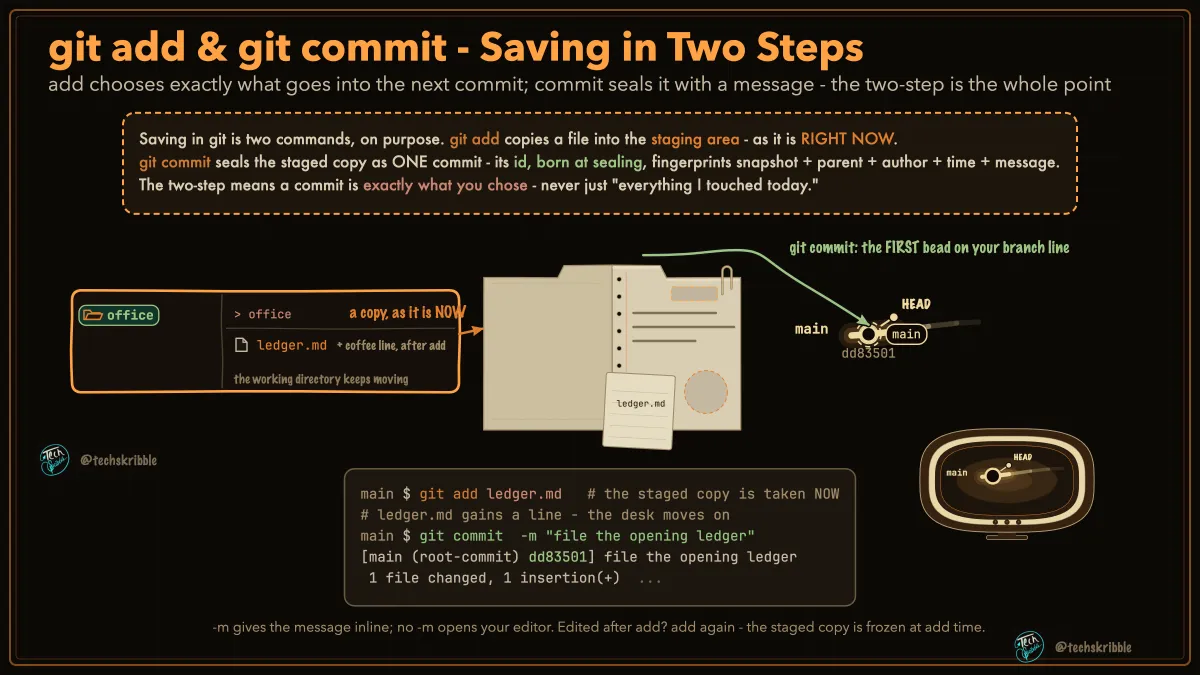
git add & git commit - Saving in Two Steps

git add & git commit - Saving in Two Steps

add chooses exactly what goes into the next commit; commit seals it with a message - the two-step is the whole point

beginnerFree
git status - What Differs, and Where
๐Ÿ”’

git status - What Differs, and Where

the read-only report: which files differ across working directory, staging area, and last commit

beginnerPremium
git add -p, -A, and . - Choosing What You Stage
๐Ÿ”’

git add -p, -A, and . - Choosing What You Stage

-p stages chosen hunks of one file; -A stages everything repo-wide, deletions included; . reaches this folder down

beginnerPremium
git commit -m and -a - The Sealing Controls
๐Ÿ”’

git commit -m and -a - The Sealing Controls

-m writes the message inline; -a stages every TRACKED edit as it commits - and quietly skips anything untracked

beginnerPremium
git diff - Three Comparisons, One Command
๐Ÿ”’

git diff - Three Comparisons, One Command

plain: working directory vs staging area. --staged: staging area vs last commit. HEAD: working directory vs last commit.

beginnerPremium
git log - Walking History, Three Lenses
๐Ÿ”’

git log - Walking History, Three Lenses

log walks parent pointers backward from where you stand - --all adds every starting ref; --graph draws the shape

beginnerPremium
git show - One Commit Under the Lamp
๐Ÿ”’

git show - One Commit Under the Lamp

one commit, three lenses: the full patch, the file summary, and the X-ray of its bare record

beginnerPremium
.gitignore - Telling Git What to Leave Alone
๐Ÿ”’

.gitignore - Telling Git What to Leave Alone

patterns git leaves untracked by default - and why the list does nothing to files already committed

beginnerPremium
git commit --amend - Redo the Last Commit
๐Ÿ”’

git commit --amend - Redo the Last Commit

fix the last commit - the result is a NEW commit with a NEW id; keep it to work you haven't shared

beginnerPremium
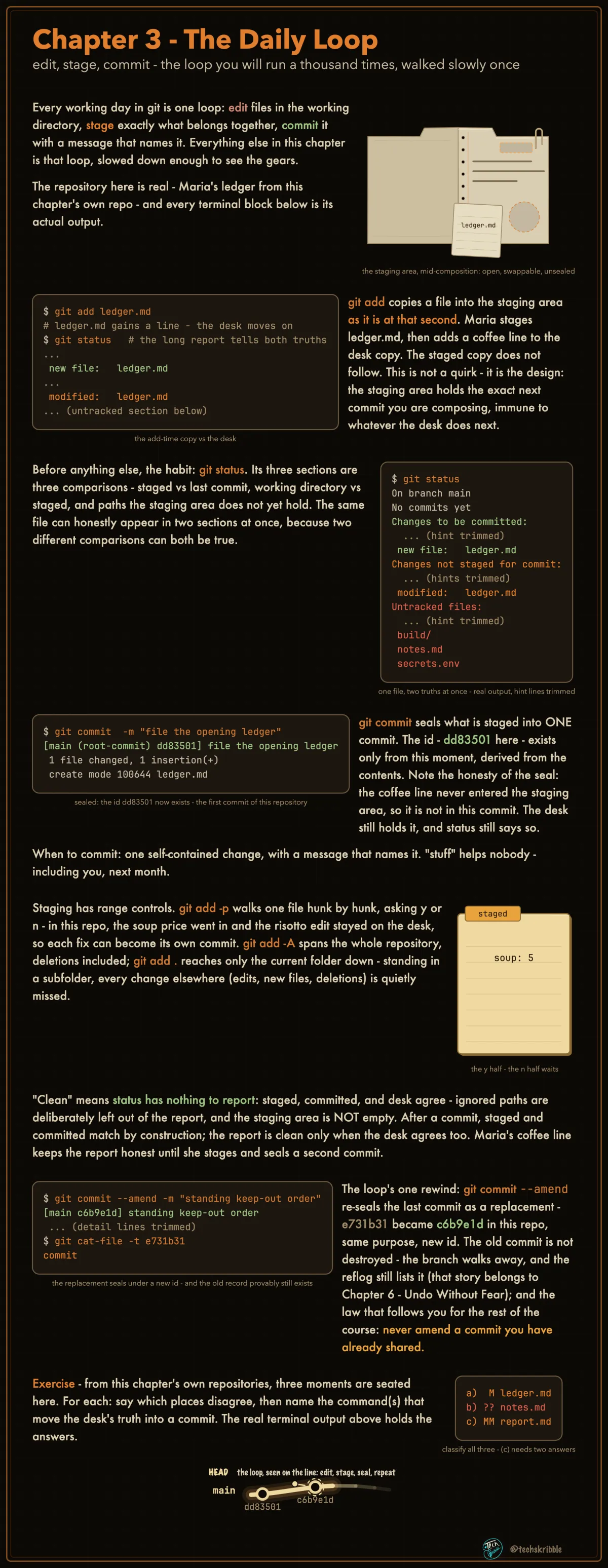
The Daily Loop

The Daily Loop

edit, stage, commit - the loop you will run a thousand times, walked slowly once

beginnerFree
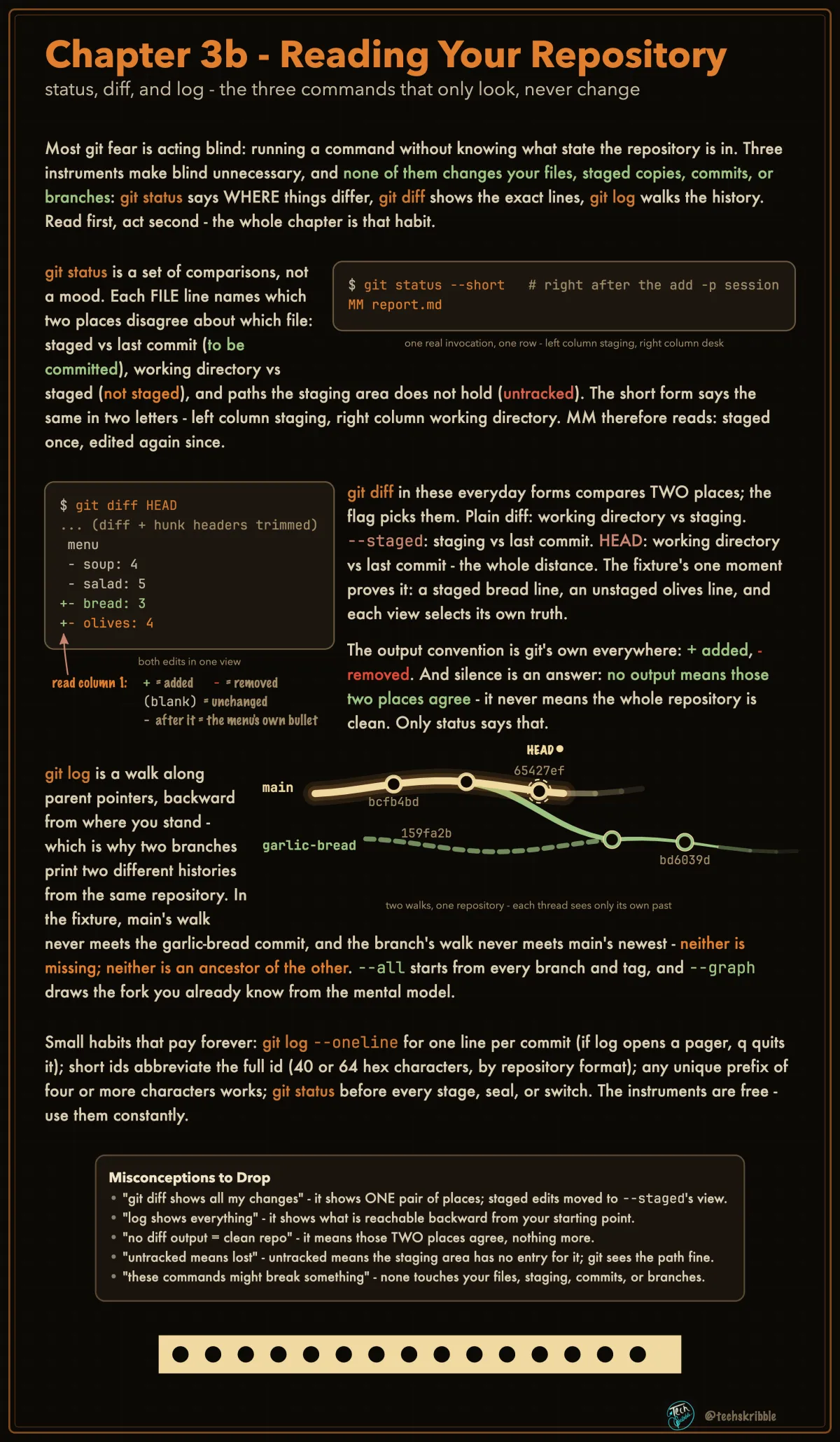
Reading Your Repository

Reading Your Repository

status, diff, and log - the three commands that only look, never change

beginnerFree
git restore - Put a File Back
๐Ÿ”’

git restore - Put a File Back

copy a clean version of one file back onto your desk - history never moves

beginnerPremium
restore --staged & --source
๐Ÿ”’

restore --staged & --source

--staged empties the tray (the staging area), desk untouched; --source pulls any bead's copy OVER your desk

beginnerPremium
git reset - Walk the Branch Back
๐Ÿ”’

git reset - Walk the Branch Back

HEAD and your branch walk back to an older commit - a mode dial decides the fate of staging and desk

beginnerPremium
git revert - Undo by Adding
๐Ÿ”’

git revert - Undo by Adding

a new commit whose change is the exact inverse of a bad one - history only ever grows

beginnerPremium
The Revert Travels With the Merge
๐Ÿ”’

The Revert Travels With the Merge

you cancelled it on your branch, so the branch looks clean - but a cancellation is a commit, and commits travel

beginnerPremium
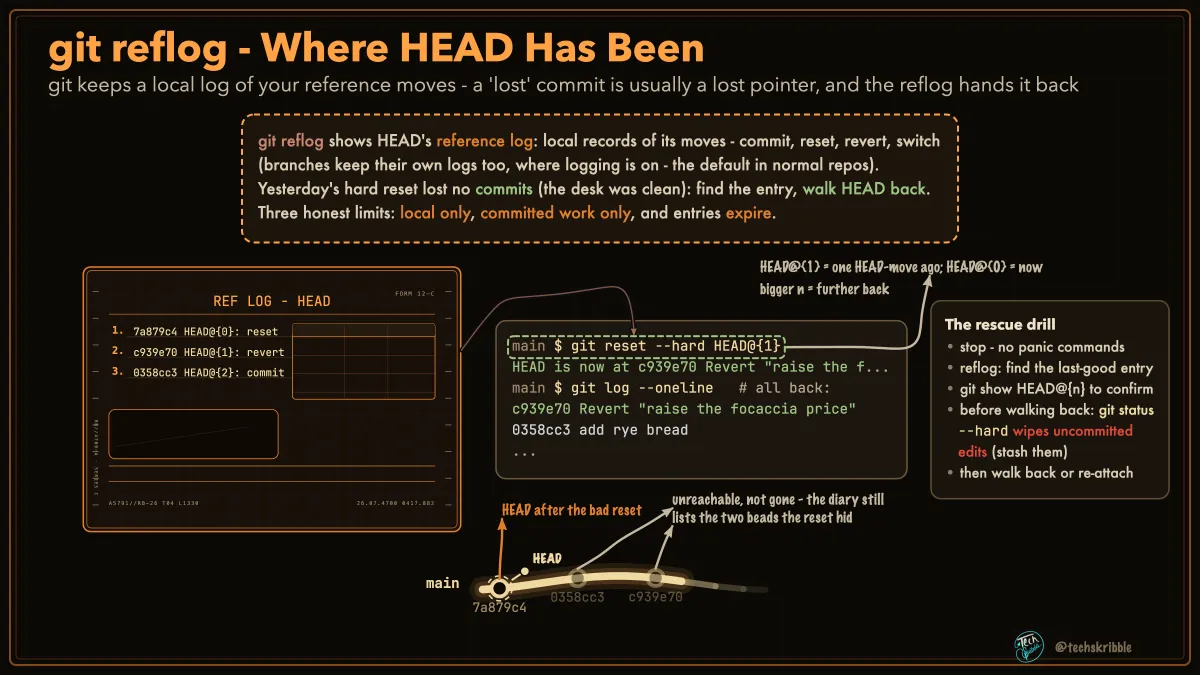
git reflog - Where HEAD Has Been

git reflog - Where HEAD Has Been

git keeps a local log of your reference moves - a 'lost' commit is usually a lost pointer, and the reflog hands it back

beginnerFree
What Git Can Never Bring Back
๐Ÿ”’

What Git Can Never Bring Back

git clean sweeps untracked files - and one question decides every rescue: did the bytes ever enter the object store?

beginnerPremium
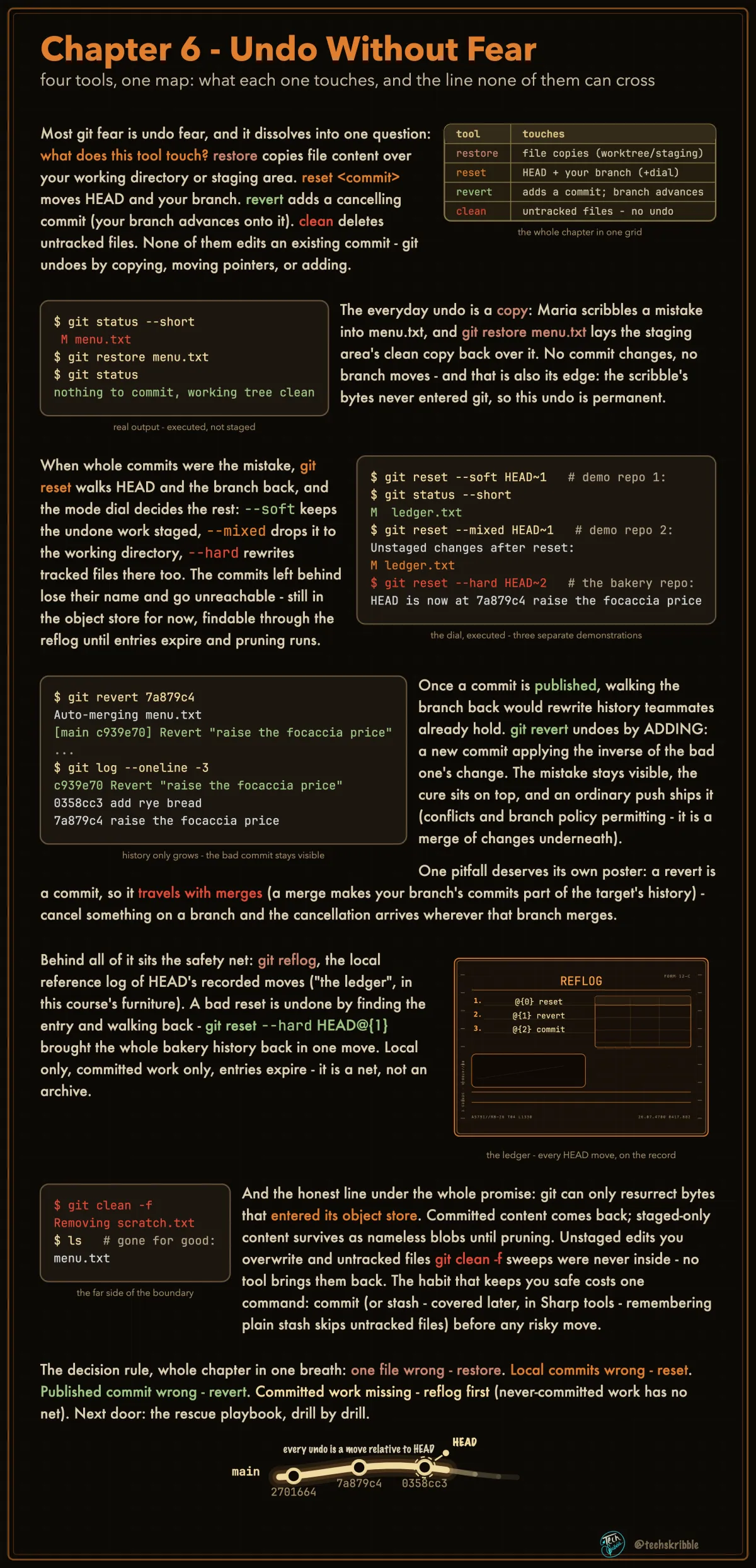
Undo Without Fear

Undo Without Fear

four tools, one map: what each one touches, and the line none of them can cross

beginnerFree
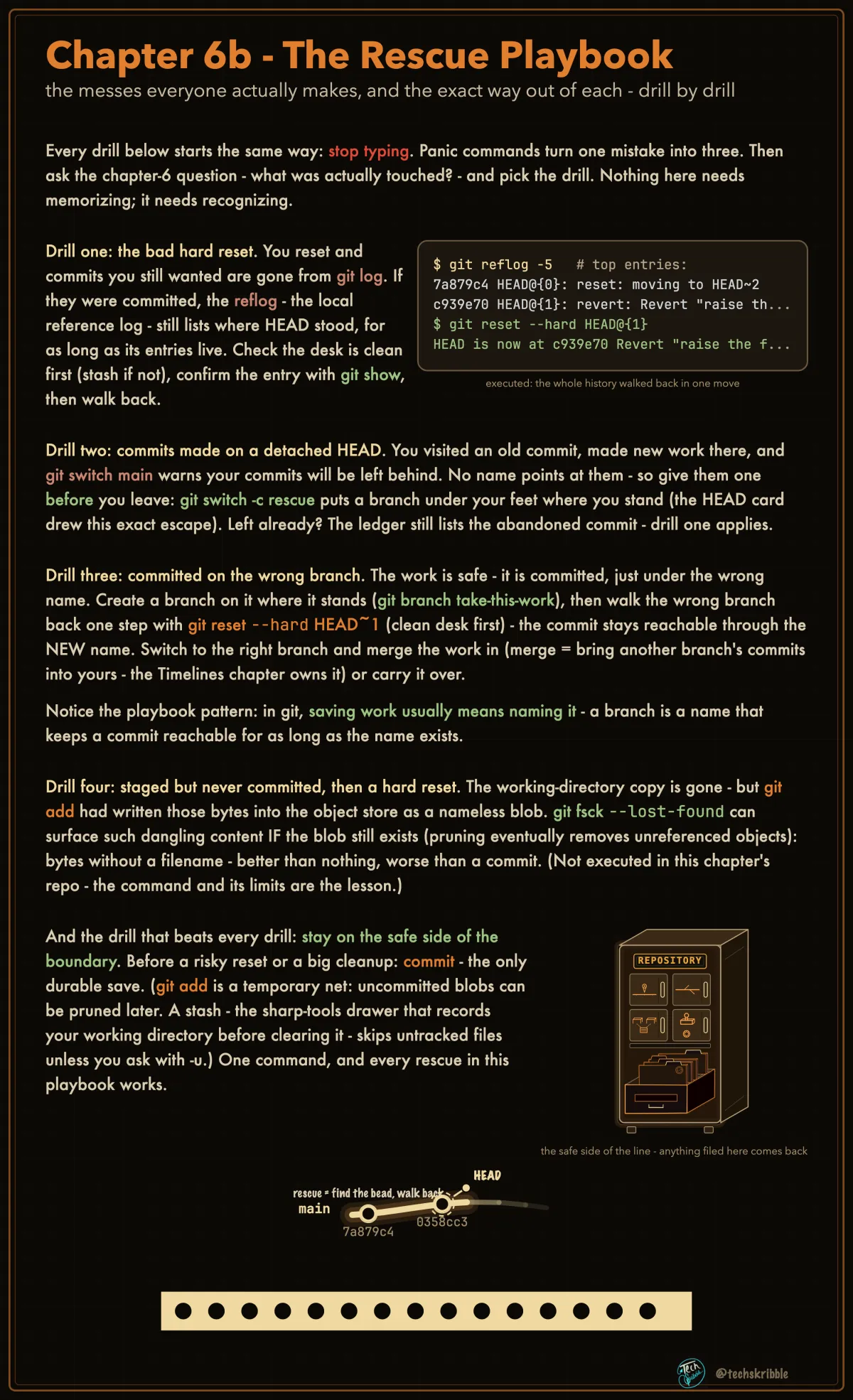
The Rescue Playbook

The Rescue Playbook

the messes everyone actually makes, and the exact way out of each - drill by drill

beginnerFree
git branch & git switch: Name First, Move Second
๐Ÿ”’

git branch & git switch: Name First, Move Second

a new branch is just a second name on your commit - switch is what moves you, and it refuses to lose edits

beginnerPremium
git switch -c and --detach: Two Ways to Move
๐Ÿ”’

git switch -c and --detach: Two Ways to Move

-c creates the branch and moves in one motion; --detach visits a commit with no branch at all

beginnerPremium
git checkout: The Old Master Key
๐Ÿ”’

git checkout: The Old Master Key

one legacy word doing two different jobs - read it by its ARGUMENT

beginnerPremium
Fast-forward: The Merge With No Merge Commit
๐Ÿ”’

Fast-forward: The Merge With No Merge Commit

when the other branch continued your line, merge creates nothing - your branch name slides forward to their tip

beginnerPremium
The Three-Way Merge: One Commit, Two Parents
๐Ÿ”’

The Three-Way Merge: One Commit, Two Parents

one line splits, both sides work, git reunites them through the shared base - the whole story on one line

beginnerPremium
git log Prints a List. History Is a Graph.
๐Ÿ”’

git log Prints a List. History Is a Graph.

a merge never moves commits onto one line - each keeps its parents; git log just flattens the graph to fit

beginnerPremium
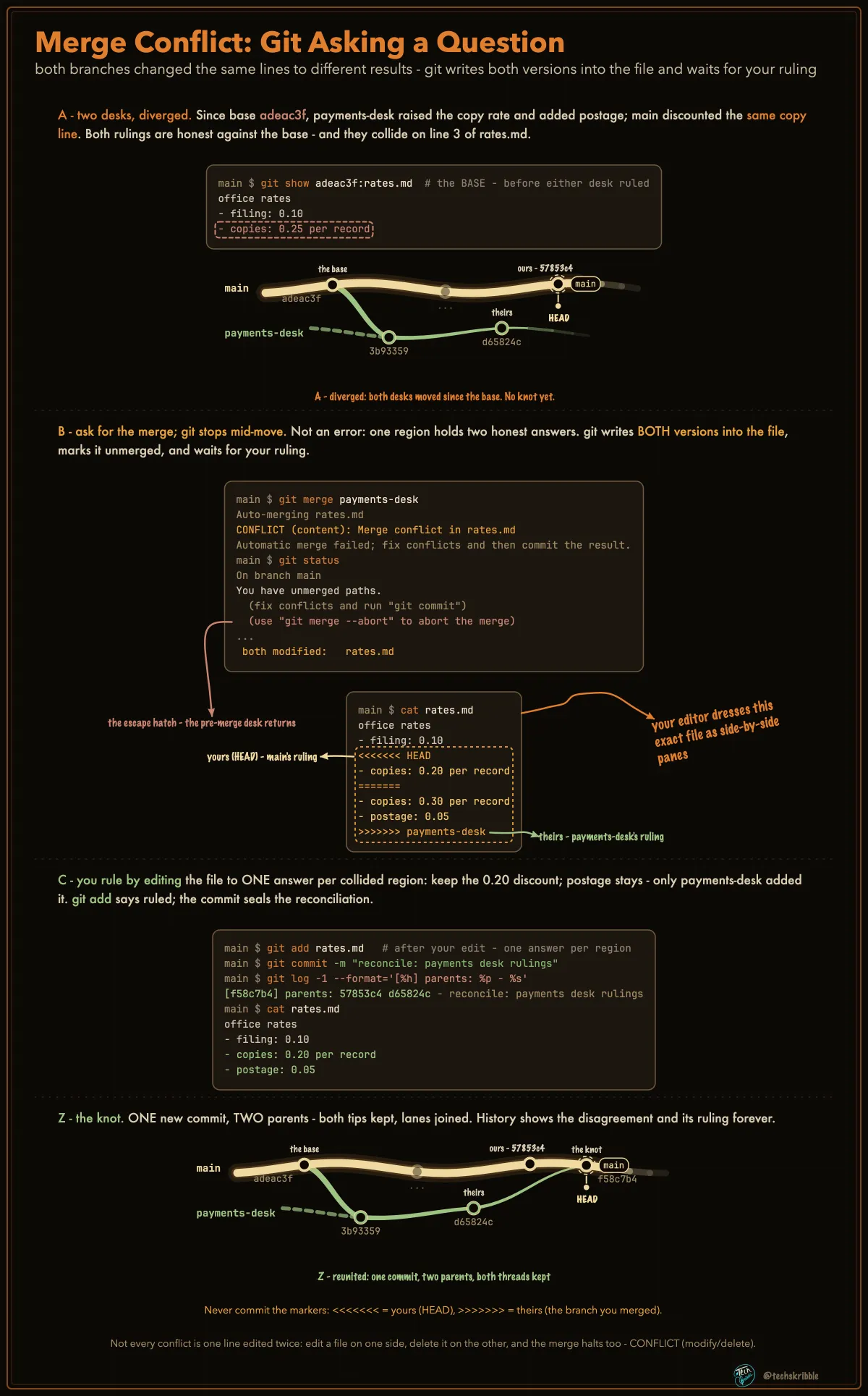
Merge Conflict: Git Asking a Question

Merge Conflict: Git Asking a Question

both branches changed the same lines to different results - git writes both versions into the file and waits for your ruling

beginnerFree
Two Panes Compare, Three Panes Rule
๐Ÿ”’

Two Panes Compare, Three Panes Rule

read any diff window by its pane count - and by one color grammar

beginnerPremium
The Ruling Desk: Both Moved One Line
๐Ÿ”’

The Ruling Desk: Both Moved One Line

your editor's merge view - assemble the middle pane, then seal the ruling

beginnerPremium
Rulings Beyond One Line
๐Ÿ”’

Rulings Beyond One Line

the desk hands you more than same-line edits - every case ends the same way

beginnerPremium
git merge Arguments: -m, --no-ff, --abort
๐Ÿ”’

git merge Arguments: -m, --no-ff, --abort

the message, the deliberate record, and the exit - the three merge switches you will actually use

beginnerPremium
Rebase vs Merge: Two Endings for a Stale Desk
๐Ÿ”’

Rebase vs Merge: Two Endings for a Stale Desk

one scene, two honest endings - merge ties a knot keeping both lines; rebase re-files your commits with NEW ids

beginnerPremium
git rebase --onto: The Transplant
๐Ÿ”’

git rebase --onto: The Transplant

lift a slice of commits off one base and replant it on another - three arguments name the cut

beginnerPremium
Pull Request = Merge Request
๐Ÿ”’

Pull Request = Merge Request

one idea, two names: GitHub says Pull Request, GitLab says Merge Request - same thing, opposite vantage

beginnerPremium
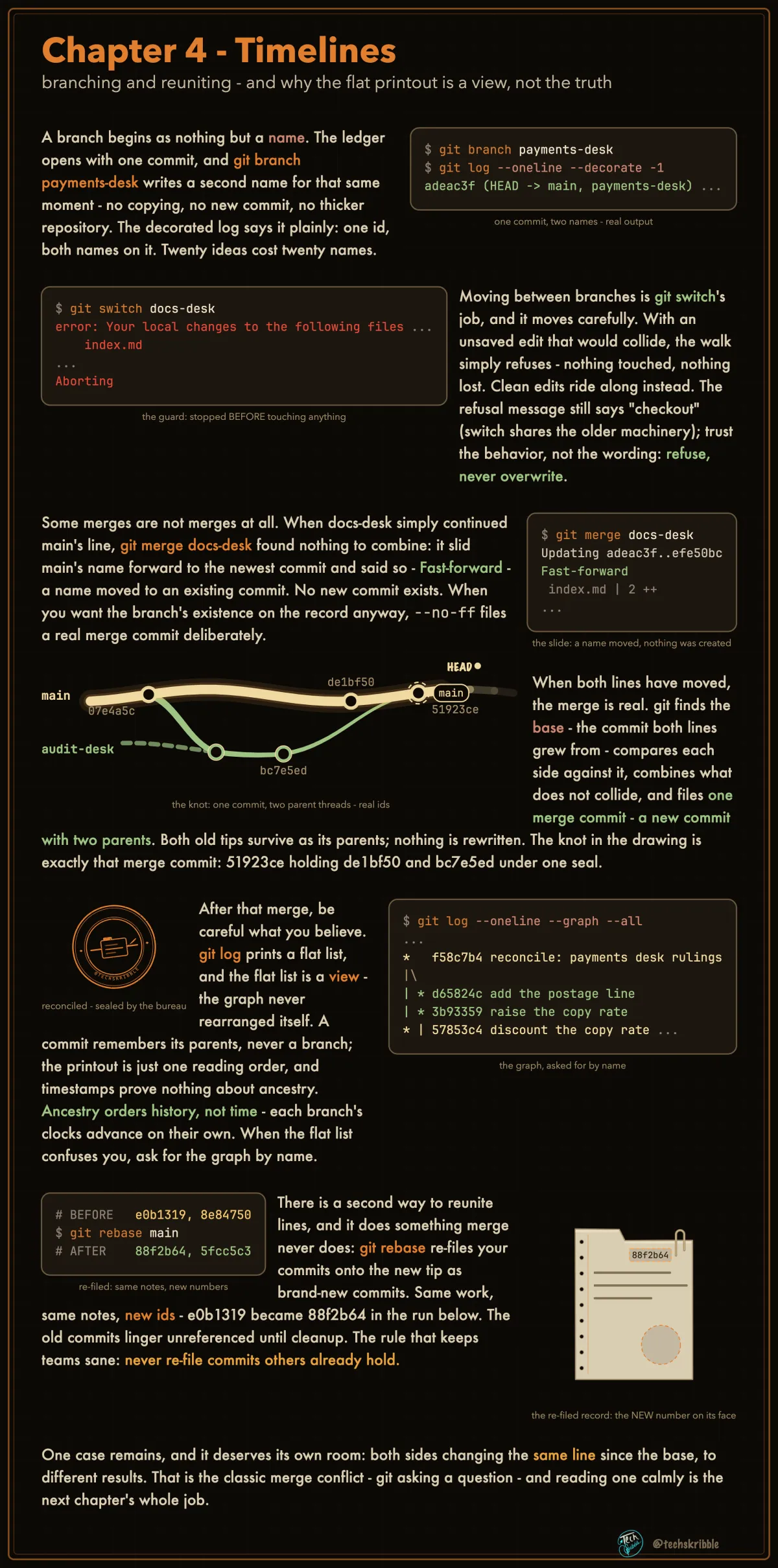
Timelines

Timelines

branching and reuniting - and why the flat printout is a view, not the truth

beginnerFree
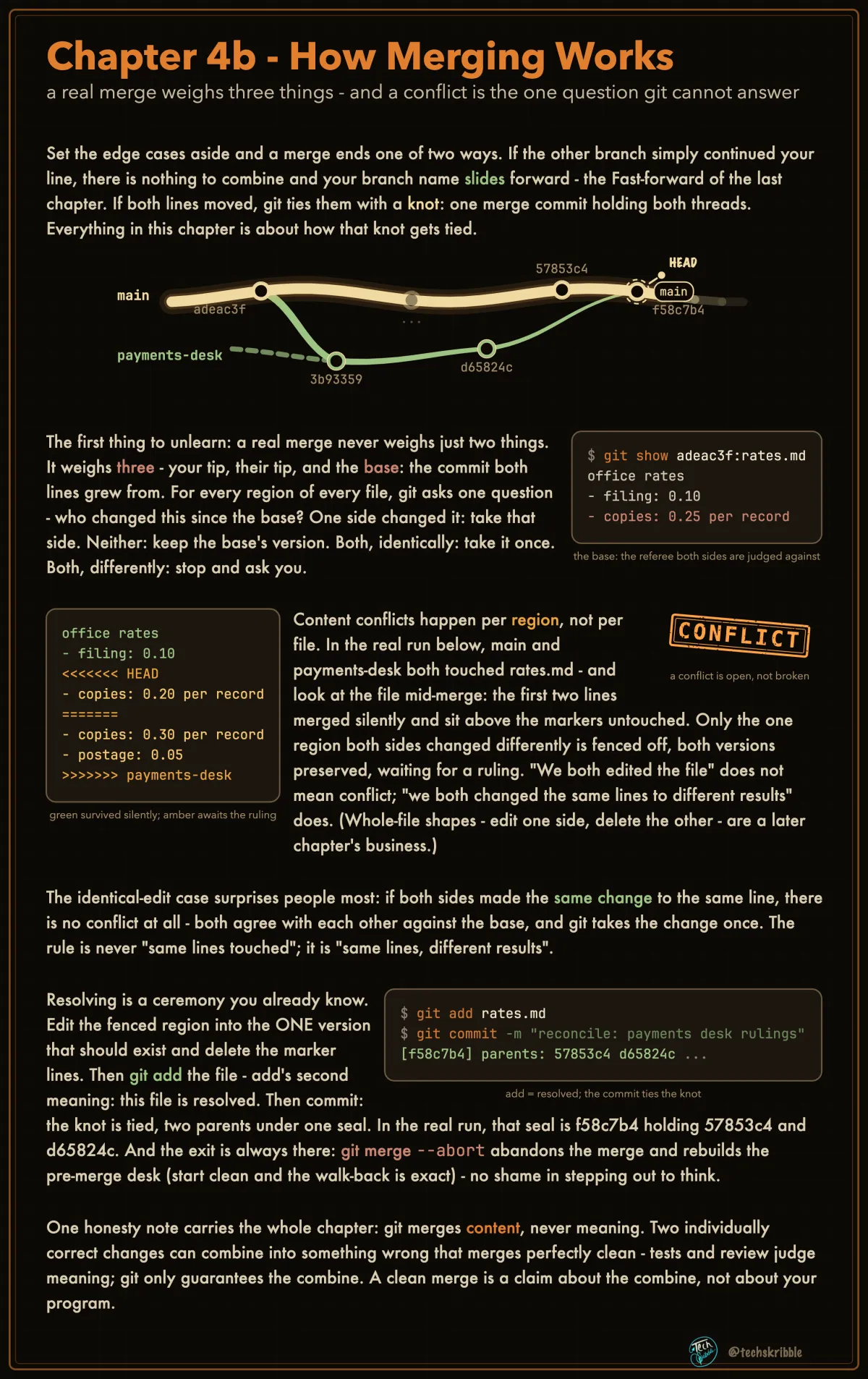
How Merging Works

How Merging Works

a real merge weighs three things - and a conflict is the one question git cannot answer

beginnerFree
git remote - Naming the Server Copy
๐Ÿ”’

git remote - Naming the Server Copy

your whole archive lives on one laptop - a remote names the second copy where work survives and teammates join

beginnerPremium
git fetch: The Mail Arrives, Held
๐Ÿ”’

git fetch: The Mail Arrives, Held

download their new records into YOUR archive - nothing you stand on moves

beginnerPremium
git fetch vs git pull - Look First, Then File It In
๐Ÿ”’

git fetch vs git pull - Look First, Then File It In

fetch downloads their commits and updates your remote-tracking refs - pull is fetch plus integrating

beginnerPremium
git pull: Fetch, Then File It In
๐Ÿ”’

git pull: Fetch, Then File It In

one command, two acts - the mail arrives AND gets filed into your branch

beginnerPremium
git push - The Refusal Is Protection
๐Ÿ”’

git push - The Refusal Is Protection

push asks the remote to move its branch - the everyday refusal means it holds commits you haven't seen

beginnerPremium
git push --force-with-lease - The Safer Force
๐Ÿ”’

git push --force-with-lease - The Safer Force

overwrite the remote branch ONLY if it still matches your last-known state - safer than --force, not safe in itself

beginnerPremium
The Pull Request Loop - Branch, Push, Review, Merge
๐Ÿ”’

The Pull Request Loop - Branch, Push, Review, Merge

a pull request is a hosted conversation around a pushed branch - every button on it is a graph move you know

beginnerPremium
"Your Branch Is Behind" - Behind and Ahead, Decoded
๐Ÿ”’

"Your Branch Is Behind" - Behind and Ahead, Decoded

behind/ahead compares two LOCAL pointers: your branch vs your bookmark - fresh only as your last fetch

beginnerPremium
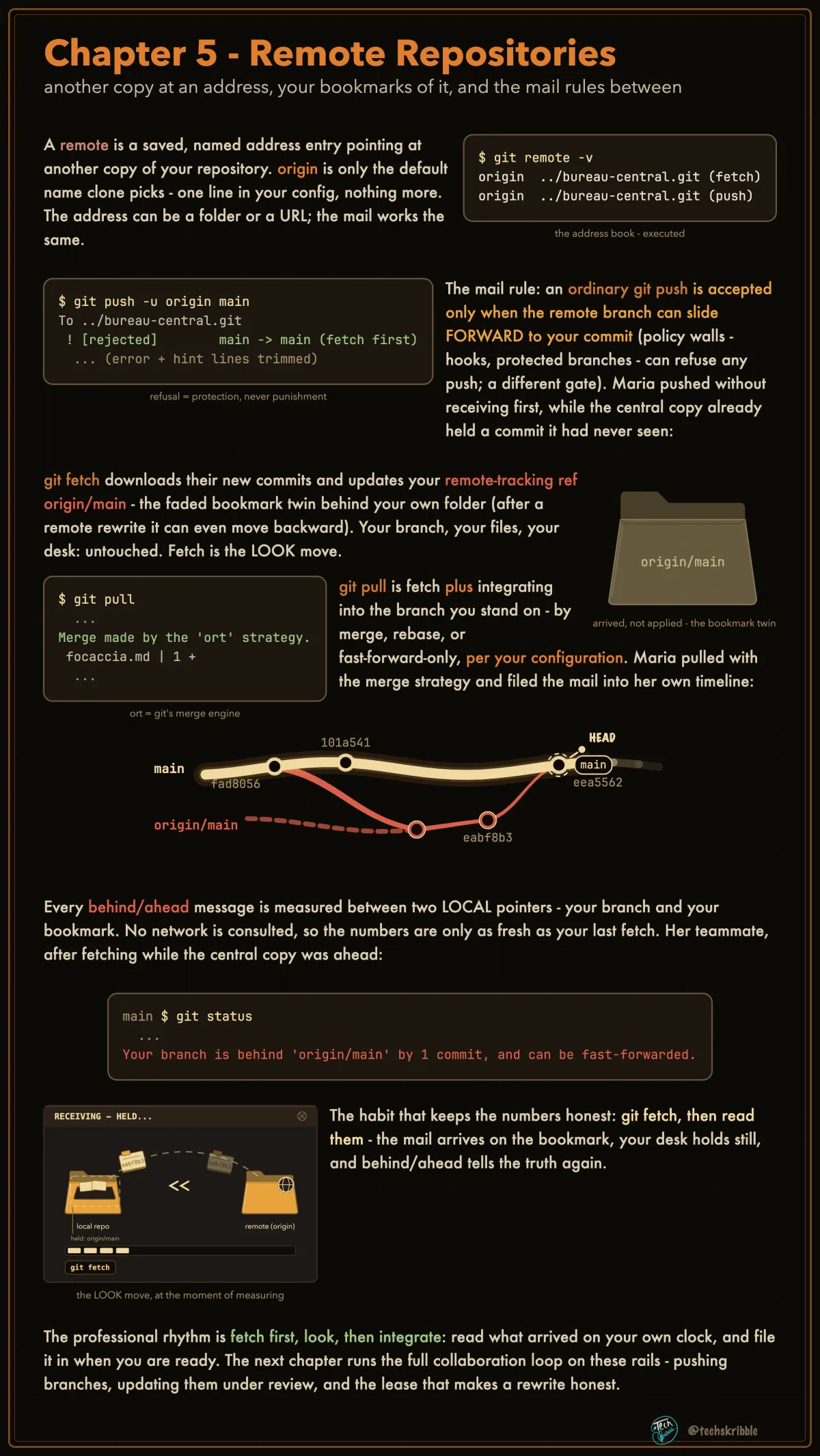
Remote Repositories

Remote Repositories

another copy at an address, your bookmarks of it, and the mail rules between

beginnerFree
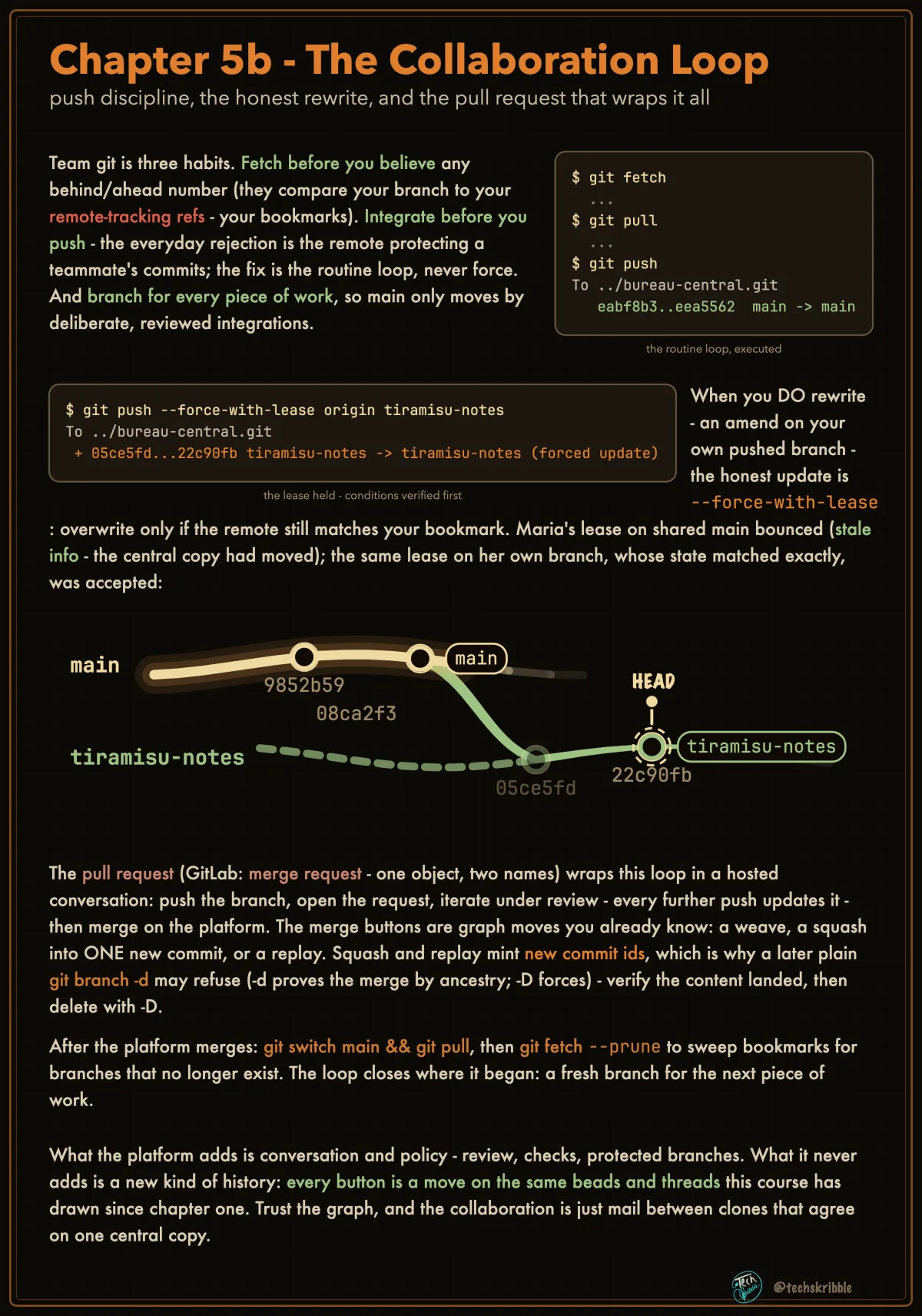
The Collaboration Loop

The Collaboration Loop

push discipline, the honest rewrite, and the pull request that wraps it all

beginnerFree
git cherry-pick - Copy One Commit's Change
๐Ÿ”’

git cherry-pick - Copy One Commit's Change

apply one commit's change onto your branch as a NEW commit - the original stays where it was

beginnerPremium
git bisect - Find the Breaking Commit by Halving
๐Ÿ”’

git bisect - Find the Breaking Commit by Halving

mark one good commit and one bad commit - git serves midpoints until ONE commit is left

beginnerPremium
git stash - Park Half-Done Work
๐Ÿ”’

git stash - Park Half-Done Work

sweep tracked edits + staged changes into a side drawer, clean desk - pop returns them after a clean apply

beginnerPremium
git tag - A Name That Does Not Advance
๐Ÿ”’

git tag - A Name That Does Not Advance

branches ride forward with every commit; a tag stays put on its commit - so v1.0 keeps meaning the same code

beginnerPremium
git rebase -i - Rewrite a Run of Commits
๐Ÿ”’

git rebase -i - Rewrite a Run of Commits

fix-typo drafts about to be shared - fold the noise into the clean run the story deserves

beginnerPremium
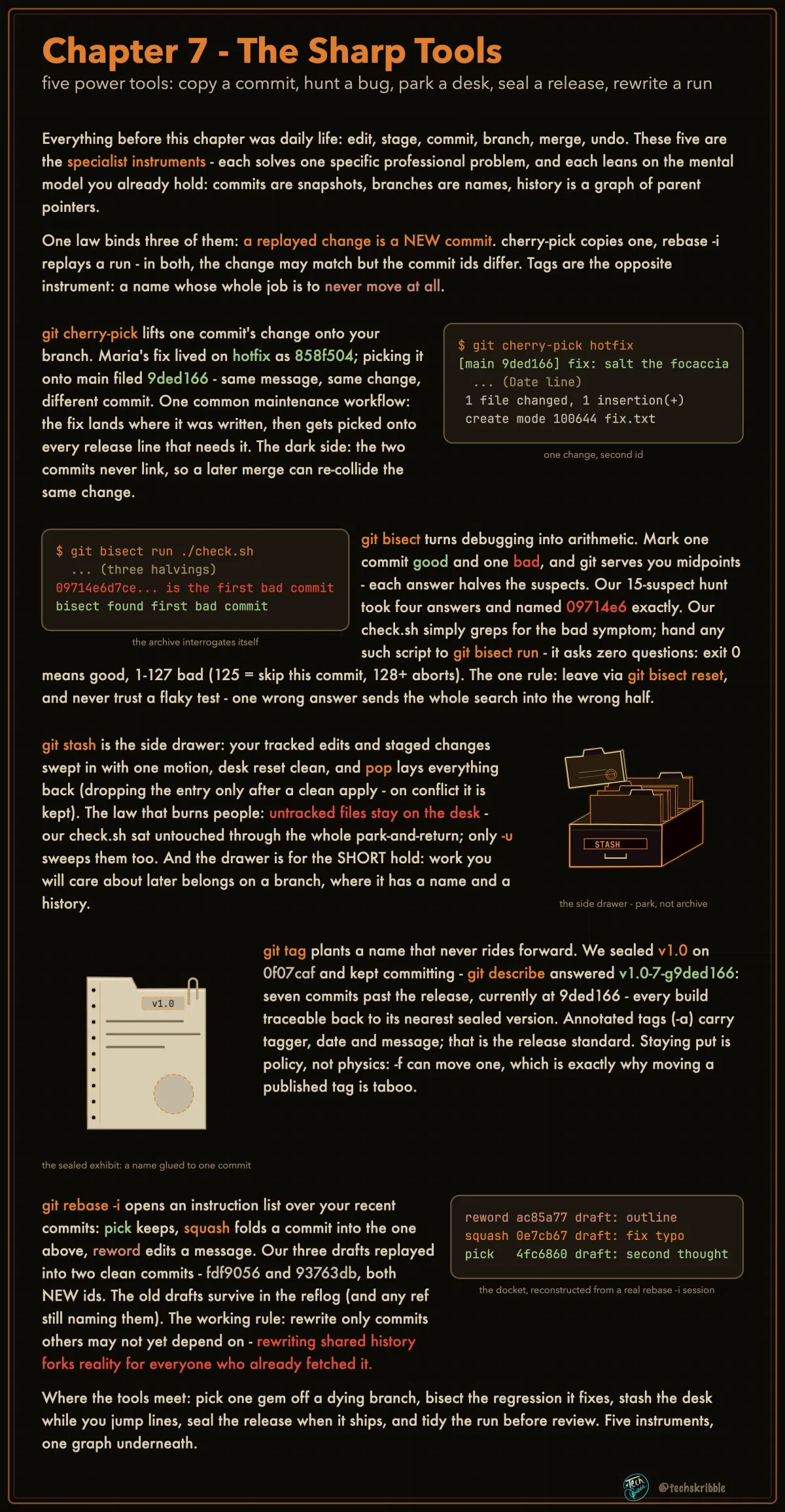
The Sharp Tools

The Sharp Tools

five power tools: copy a commit, hunt a bug, park a desk, seal a release, rewrite a run

beginnerFree
The Merge View: Three Panes, One Ruling
๐Ÿ”’

The Merge View: Three Panes, One Ruling

git mergetool hands every tool the same three versions - yours, theirs, and the base both grew from

beginnerPremium
Merge Conflicts Have Shapes
๐Ÿ”’

Merge Conflicts Have Shapes

the CONFLICT line names the shape, the shape names your move - watch one shape ruled end to end

beginnerPremium
Reading Conflict Markers
๐Ÿ”’

Reading Conflict Markers

the <<<<<<< block is not damage - your side and theirs in plain text, and diff3 adds the base as referee

beginnerPremium
Resolving: Four Moves, One Exit Door
๐Ÿ”’

Resolving: Four Moves, One Exit Door

every button in every merge tool is one of four decisions - and git add is the resolved signal, not saving

beginnerPremium
The Rebase Flip: ours Is Not Yours
๐Ÿ”’

The Rebase Flip: ours Is Not Yours

during a rebase --ours is the branch you are rebasing ONTO - grabbing "mine!" keeps the other person's line

beginnerPremium
A Clean Merge Can Still Be Wrong
๐Ÿ”’

A Clean Merge Can Still Be Wrong

git checks text overlap, never meaning - verify the merge by diffing the result against each parent

beginnerPremium
Reverting a Merge: the Dead End
๐Ÿ”’

Reverting a Merge: the Dead End

after you revert a merge, re-merging brings nothing back while the branch has no NEW commits

beginnerPremium
Never Resolve on the Release Line
๐Ÿ”’

Never Resolve on the Release Line

the team rule: cut a temporary integration branch FROM the release branch, resolve the conflict THERE, fast-forward back

beginnerPremium
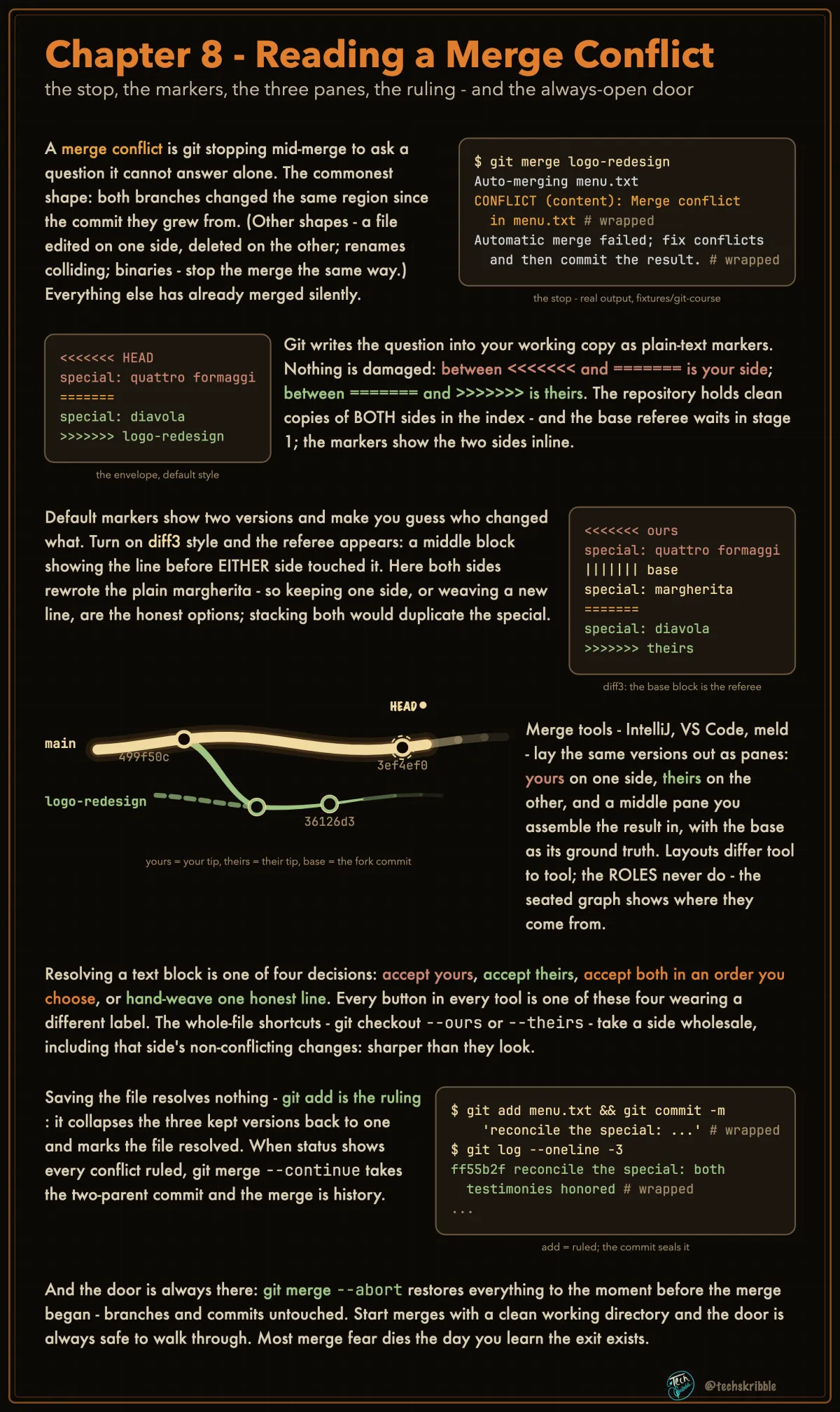
Reading a Merge Conflict

Reading a Merge Conflict

the stop, the markers, the three panes, the ruling - and the always-open door

beginnerFree
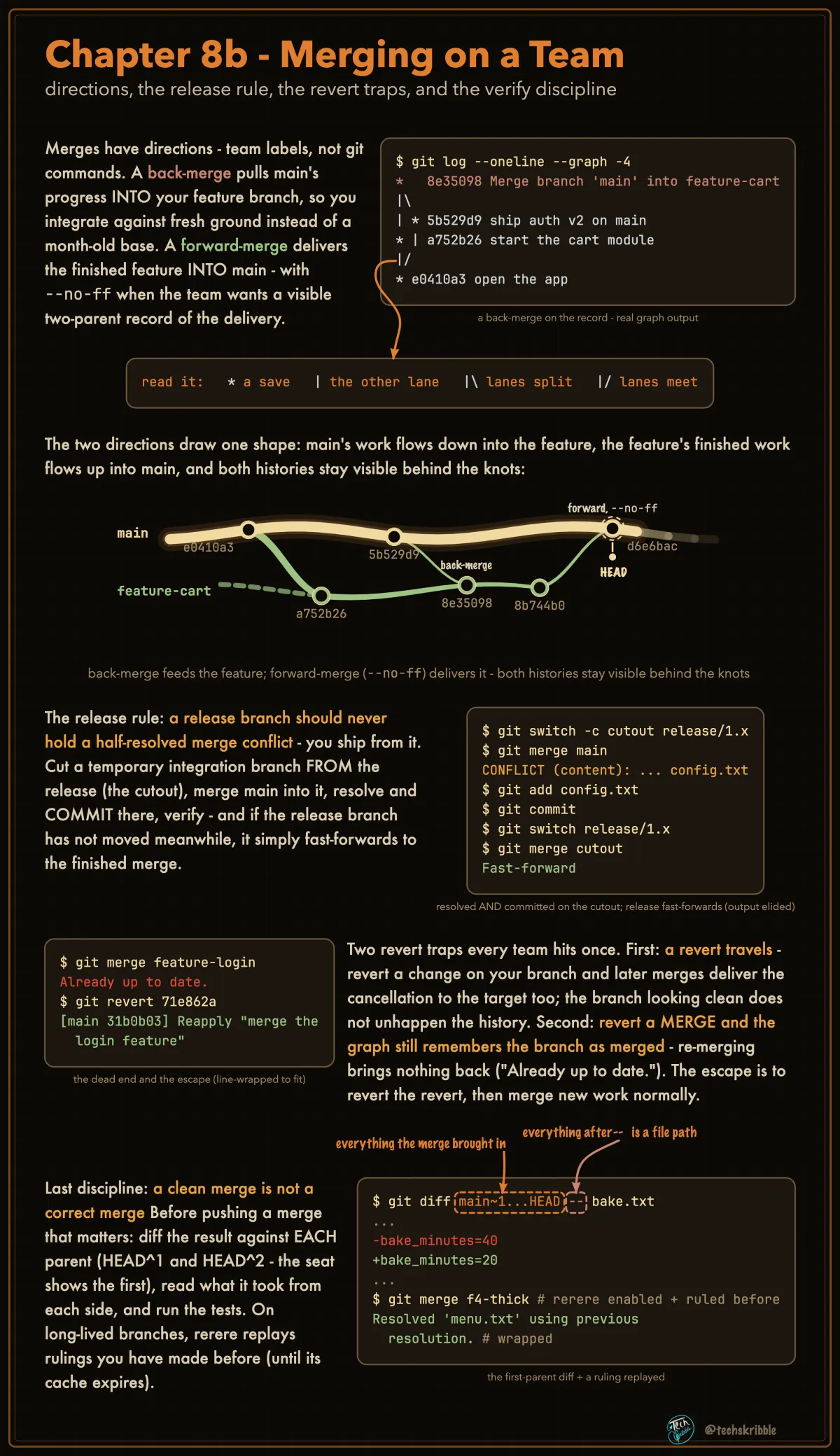
Merging on a Team

Merging on a Team

directions, the release rule, the revert traps, and the verify discipline

beginnerFree
Your IDE's History Views Are Git Queries
๐Ÿ”’

Your IDE's History Views Are Git Queries

the ovens' setting halved to 110, nobody remembers why - three queries answer it, each an IDE button's engine

beginnerPremium
git log Can Answer for One File - Even Across a Rename
๐Ÿ”’

git log Can Answer for One File - Even Across a Rename

-- <path> narrows the walk to one file's story; --follow keeps the story through renames

beginnerPremium
log A..B Asks the Graph. diff A B Compares Snapshots.
๐Ÿ”’

log A..B Asks the Graph. diff A B Compares Snapshots.

log ranges select COMMITS by reachability; diff ignores everything between and compares two endpoints

beginnerPremium
git blame: Who Last Touched Every Line
๐Ÿ”’

git blame: Who Last Touched Every Line

one commit id, author, and date stamped in the margin of each line - computed from history on demand

beginnerPremium
Compare Any Two Moments, Any Time
๐Ÿ”’

Compare Any Two Moments, Any Time

git diff <A> <B> lifts two snapshots and prints what differs - nothing in between is replayed

beginnerPremium
Back-Merge, Forward-Merge: Two Directions
๐Ÿ”’

Back-Merge, Forward-Merge: Two Directions

back-merge pulls main INTO your feature to stay current; forward-merge delivers the feature INTO main

beginnerPremium
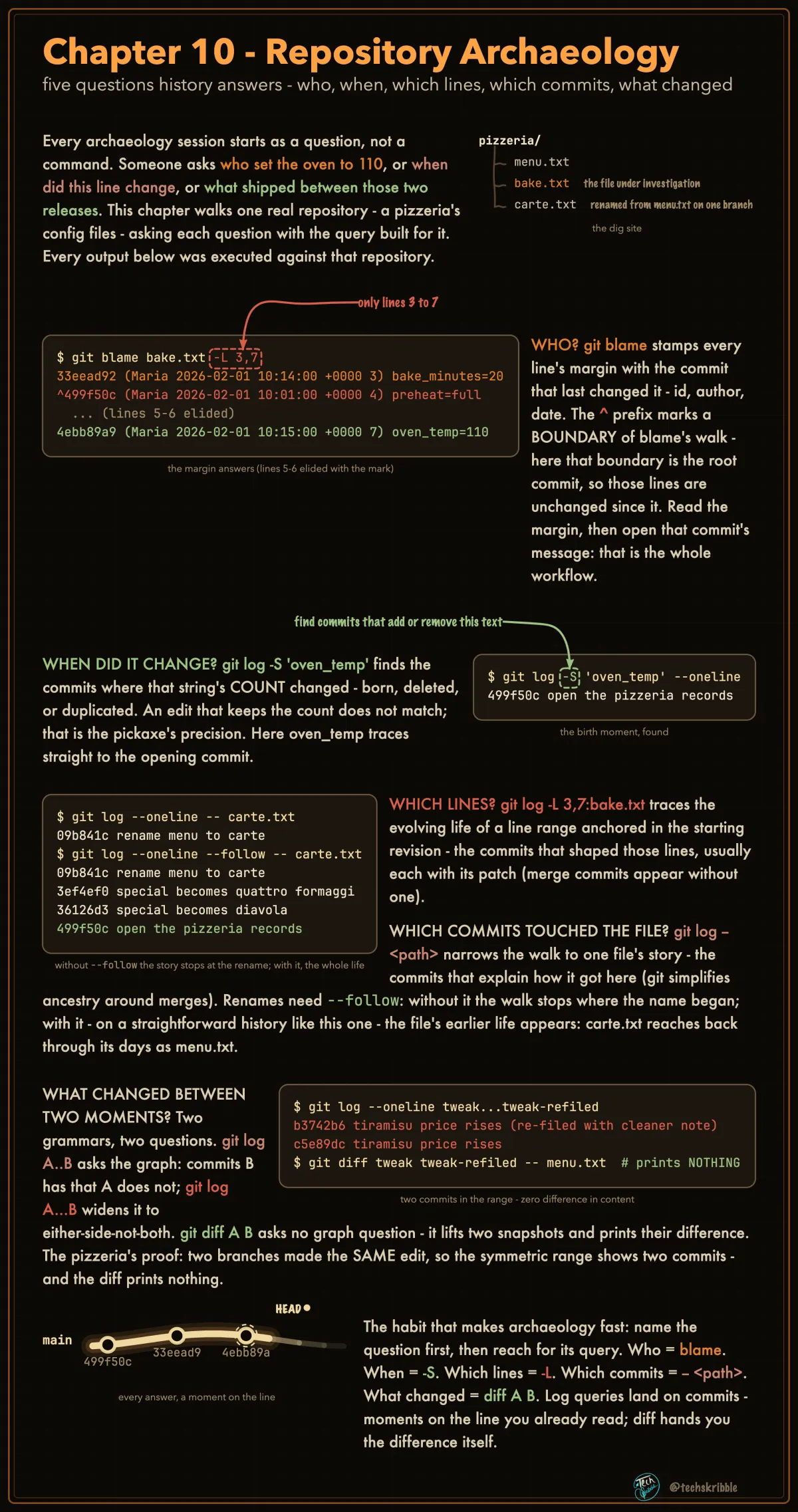
Repository Archaeology

Repository Archaeology

five questions history answers - who, when, which lines, which commits, what changed

beginnerFree
Git Flow - Five Lanes, Fixed Jobs
๐Ÿ”’

Git Flow - Five Lanes, Fixed Jobs

two lanes live forever (main, develop); feature, release and hotfix are opened for a job and closed - every route is fixed

beginnerPremium
Trunk-Based - One Line, Tiny Branches
๐Ÿ”’

Trunk-Based - One Line, Tiny Branches

one long-lived branch; work branches kept deliberately short - small merges collide less and hurt less

beginnerPremium
Release Branches - Supporting Old Versions
๐Ÿ”’

Release Branches - Supporting Old Versions

release/1.x lives beside main; a fix lands on main FIRST, then a copy is cherry-picked back to each supported release

beginnerPremium
Stabilization Flow - Bugfix vs Hotfix
๐Ÿ”’

Stabilization Flow - Bugfix vs Hotfix

a release line hardens while main moves on: bugfixes land on the release FIRST, hotfixes cut from what shipped

beginnerPremium
Choosing a Branching Strategy
๐Ÿ”’

Choosing a Branching Strategy

a branching strategy is a release-cadence decision wearing git clothes - pick the cheapest one your reality allows

beginnerPremium
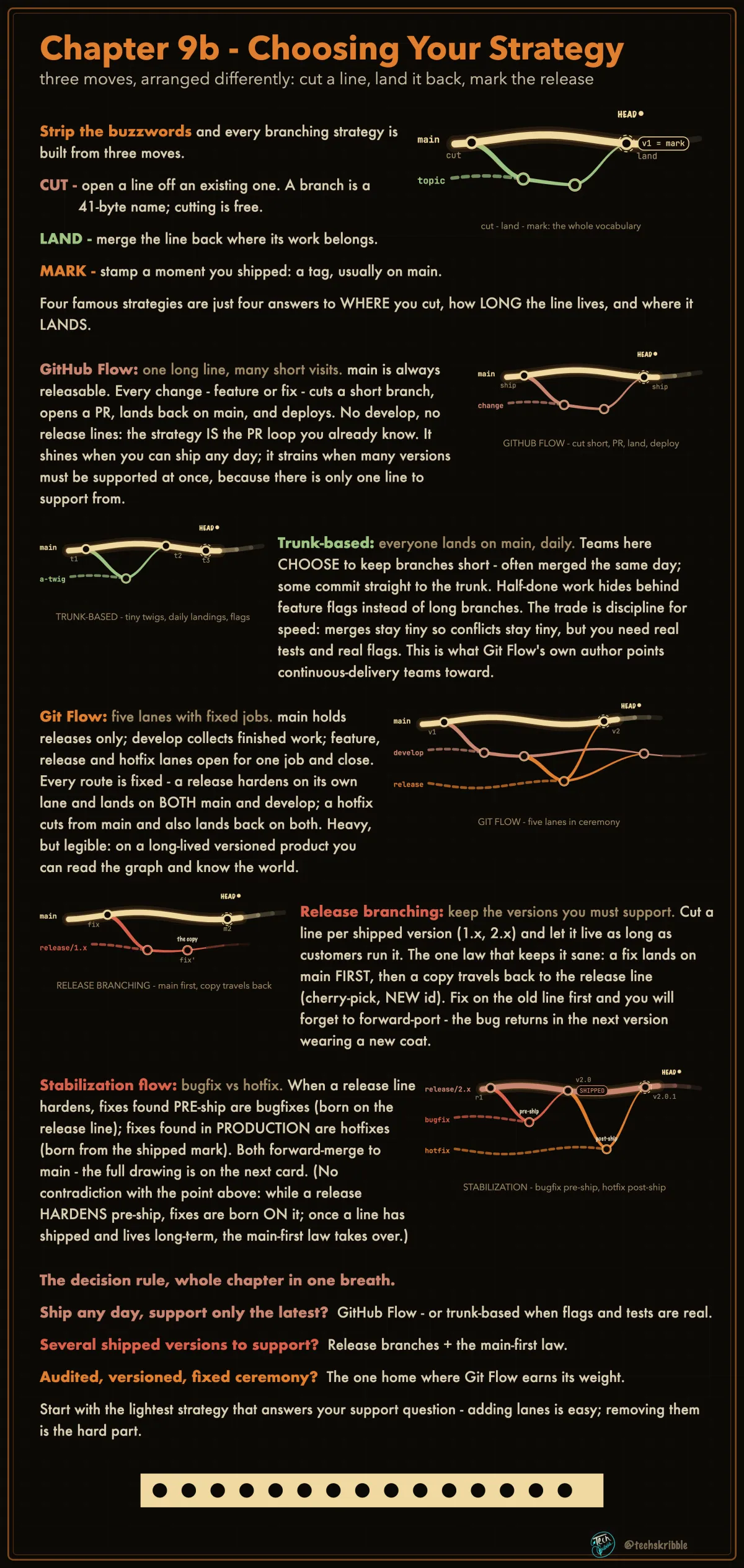
Choosing Your Strategy

Choosing Your Strategy

three moves, arranged differently: cut a line, land it back, mark the release

beginnerFree
Worktrees - The Practice Run
๐Ÿ”’

Worktrees - The Practice Run

open a second working folder, prove both share one repository, tear it down clean - type along

beginnerPremium
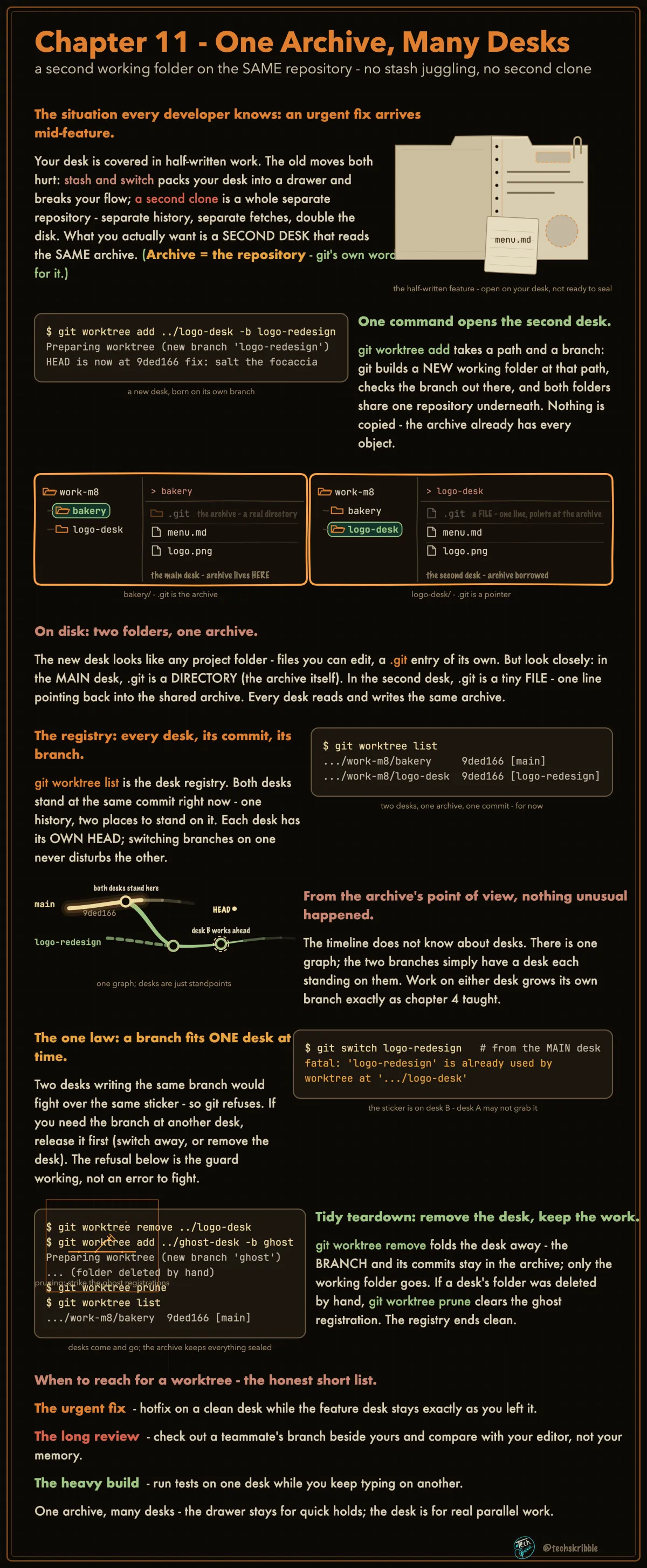
One Archive, Many Desks

One Archive, Many Desks

a second working folder on the SAME repository - no stash juggling, no second clone

beginnerFree
The House Words
๐Ÿ”’

The House Words

every nickname this course speaks, next to the real thing - a page for coming back, not for memorizing

beginnerPremium
What This Course Did NOT Cover
๐Ÿ”’

What This Course Did NOT Cover

the honest index: ten tools we skipped on purpose, one line each on why they can wait

beginnerPremium
The Whole Course on One Line
๐Ÿ”’

The Whole Course on One Line

every chapter was a region of this picture - if you can redraw it from memory, you have the course

beginnerPremium
Reading the Manual - the Decoder Ring
๐Ÿ”’

Reading the Manual - the Decoder Ring

git help explains every command - one notation skill unlocks the ~150 verbs this course never teaches

beginnerPremium
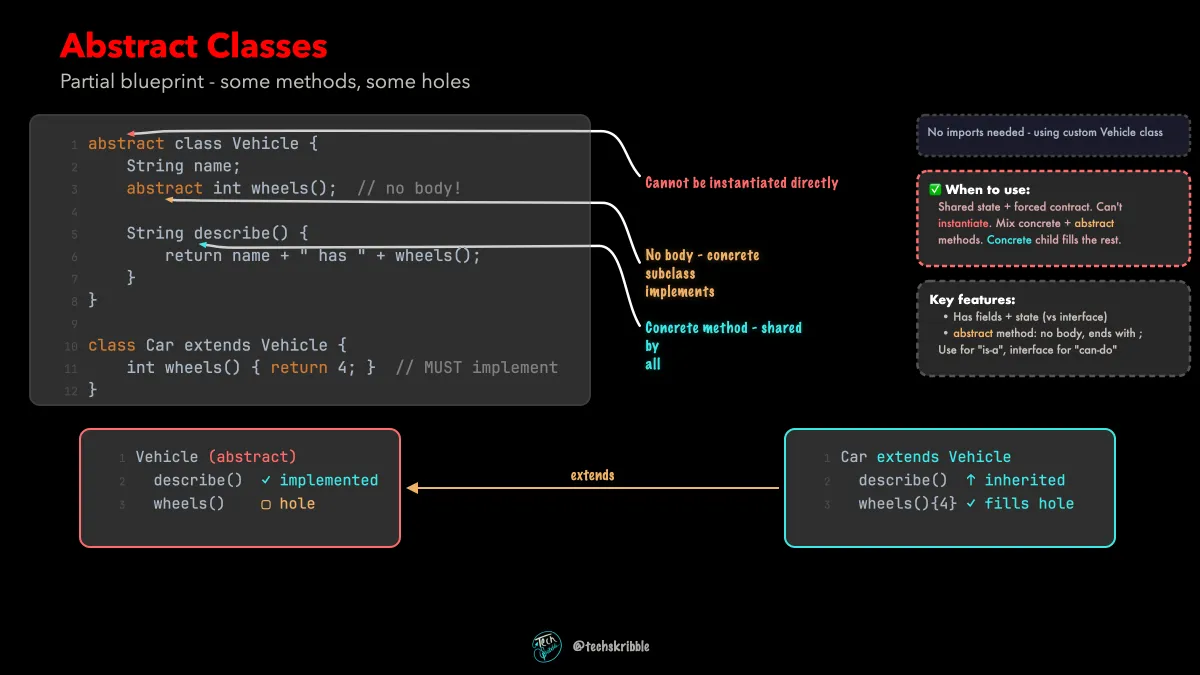
Abstract Classes

Abstract Classes

Partial blueprint - some methods, some holes

beginnerFree
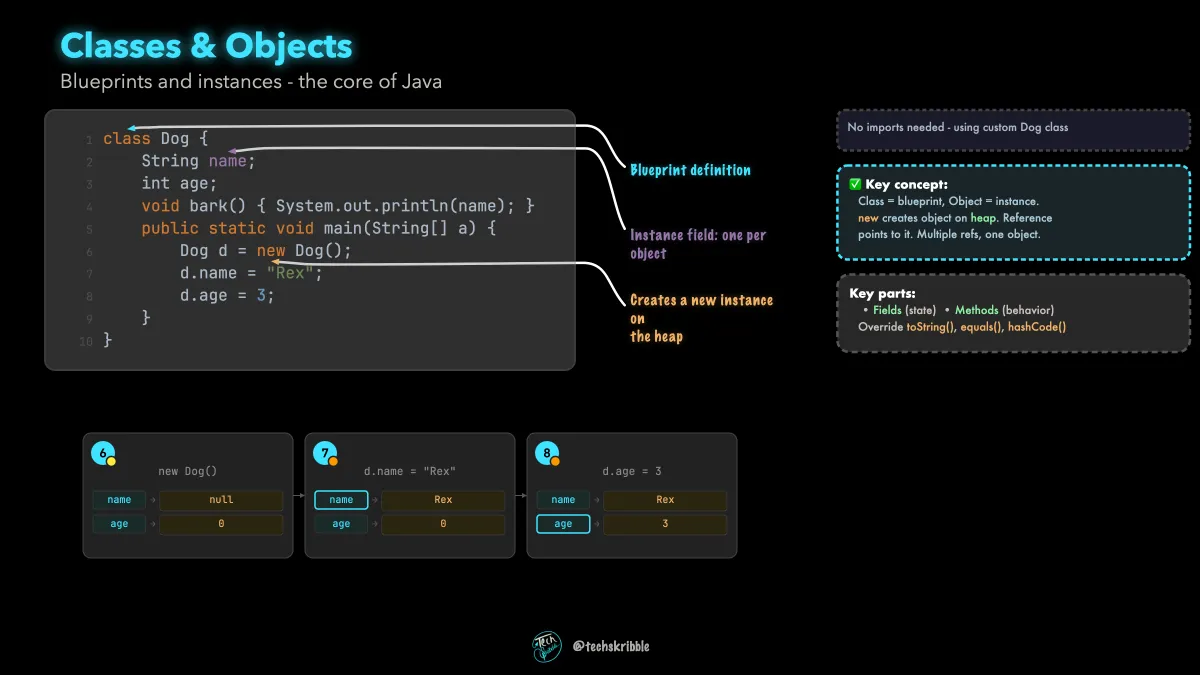
Classes & Objects

Classes & Objects

Blueprints and instances - the core of Java

beginnerFree
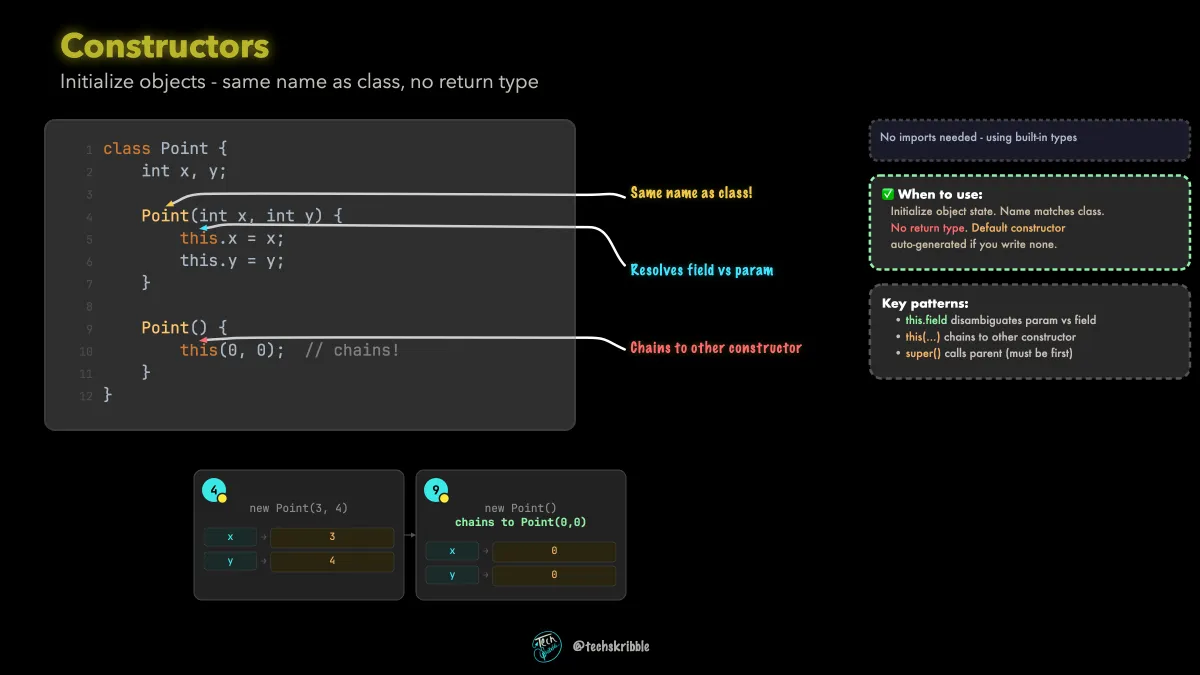
Constructors

Constructors

Initialize objects - same name as class, no return type

beginnerFree
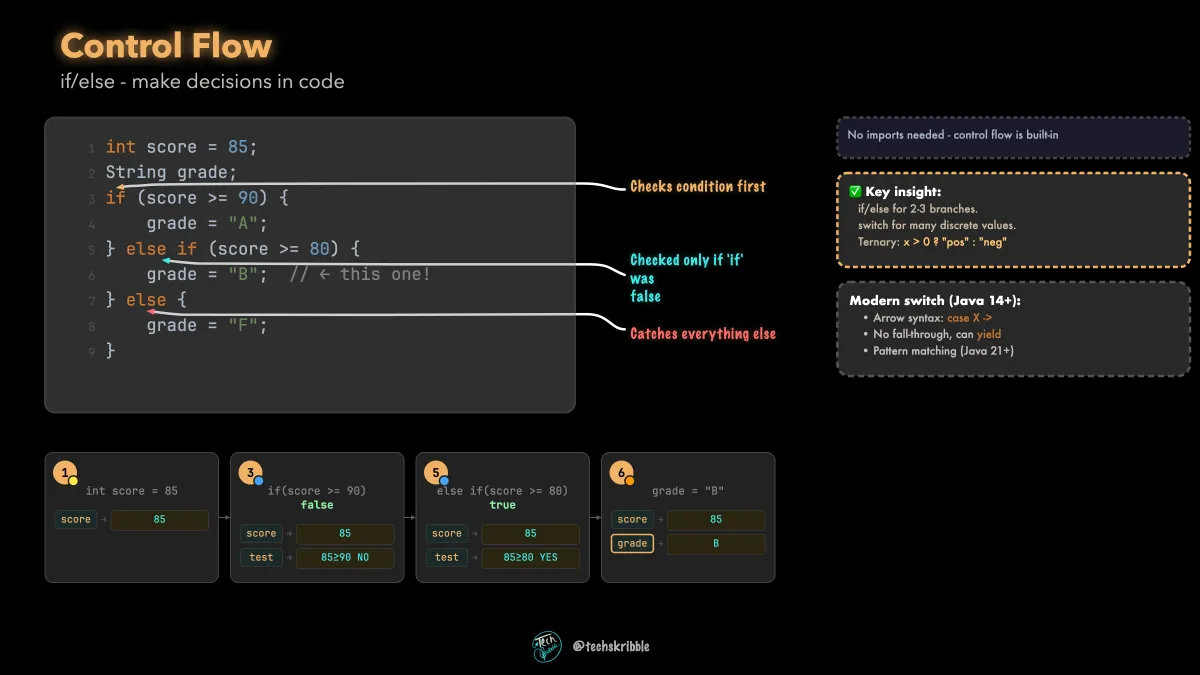
Control Flow

Control Flow

if/else - make decisions in code

beginnerFree
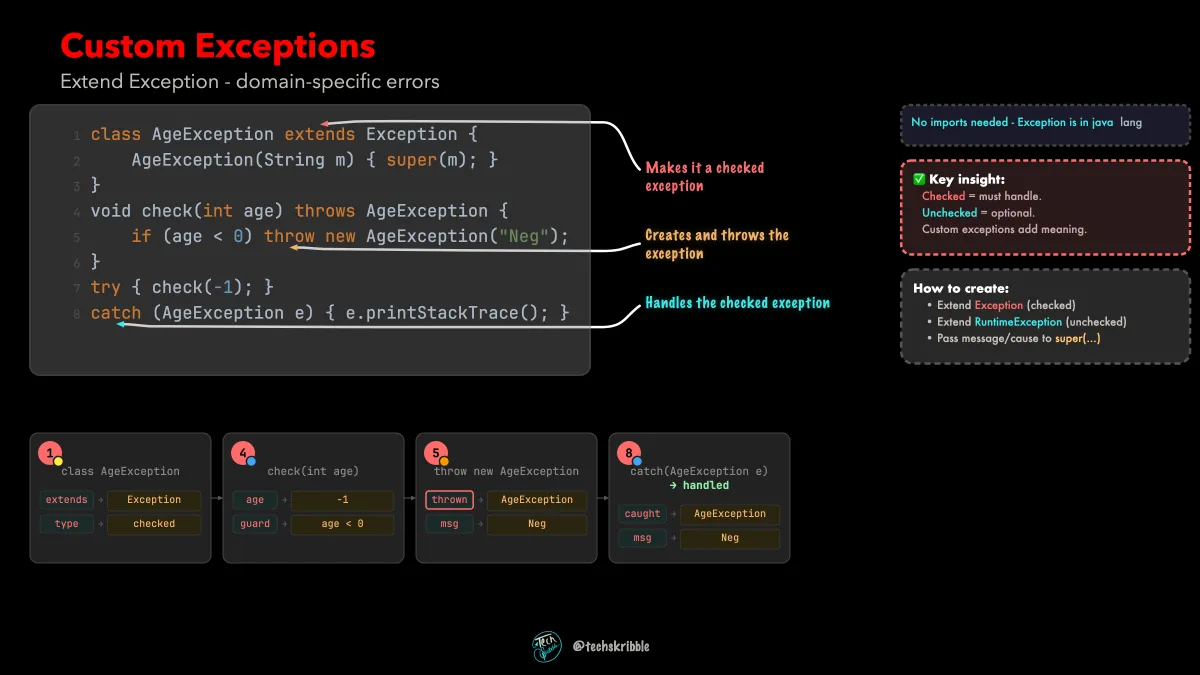
Custom Exceptions

Custom Exceptions

Extend Exception - domain-specific errors

beginnerFree
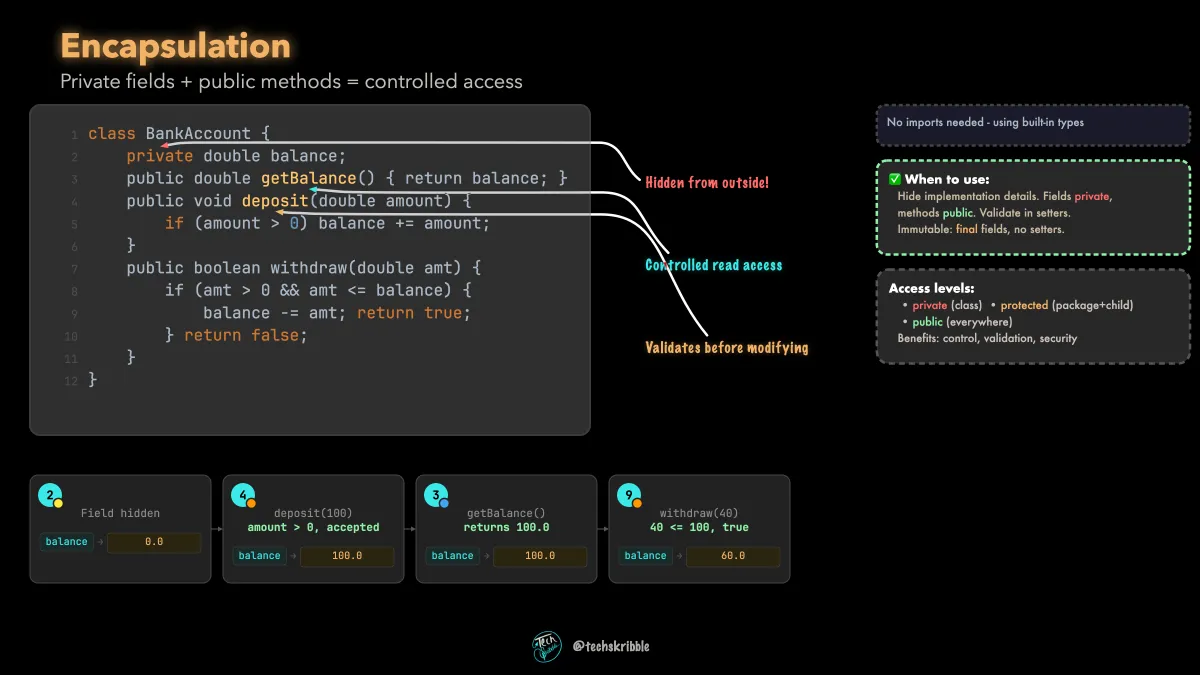
Encapsulation

Encapsulation

Private fields + public methods = controlled access

beginnerFree
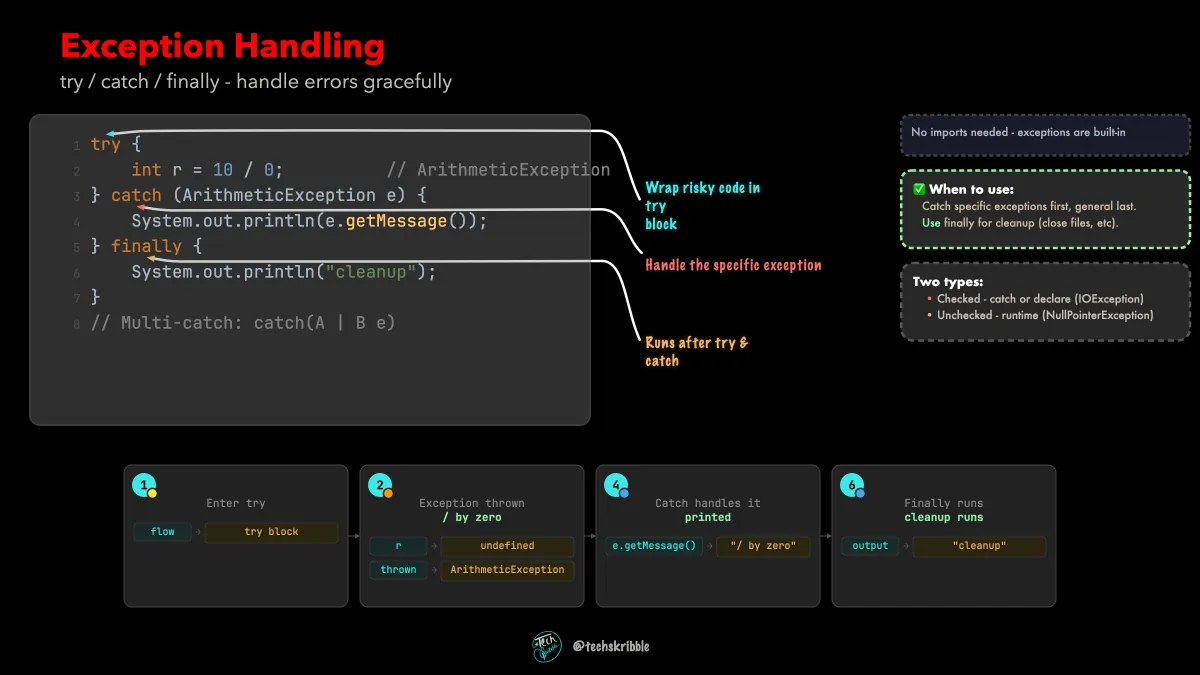
Exception Handling

Exception Handling

try / catch / finally - handle errors gracefully

beginnerFree
Garbage Collection๐Ÿ”’

Garbage Collection

Automatic memory management in Java

beginnerPremium
Generics๐Ÿ”’

Generics

Type-safe containers - write once, use for any type

beginnerPremium
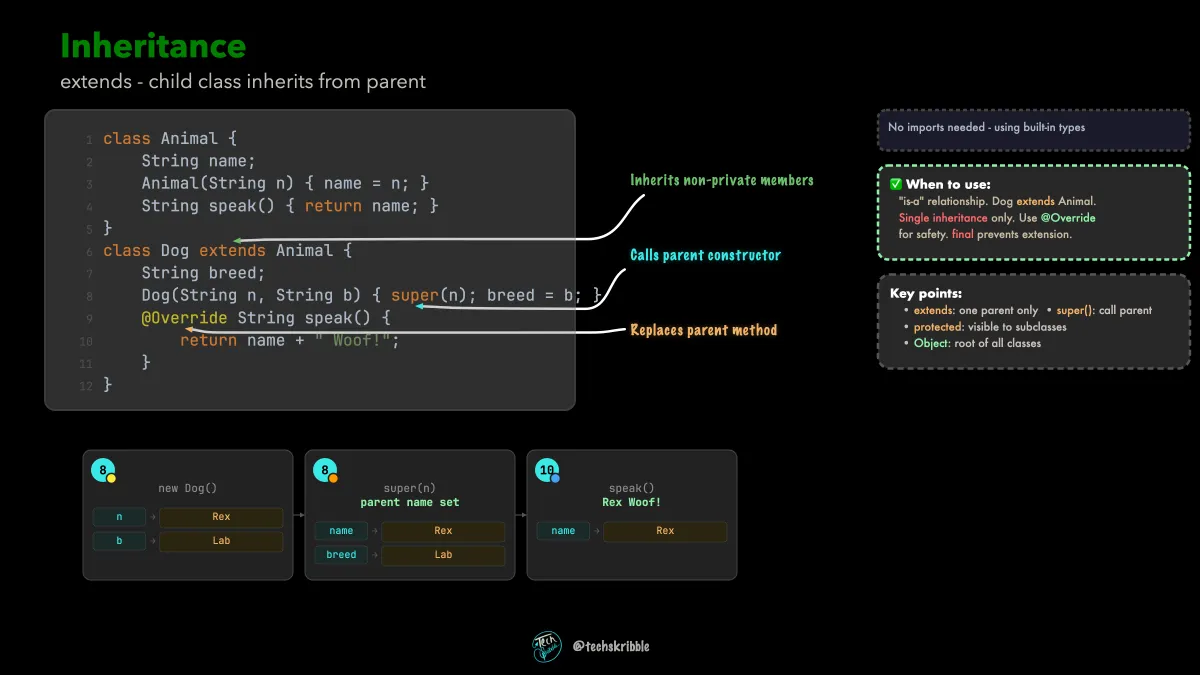
Inheritance

Inheritance

extends - child class inherits from parent

beginnerFree
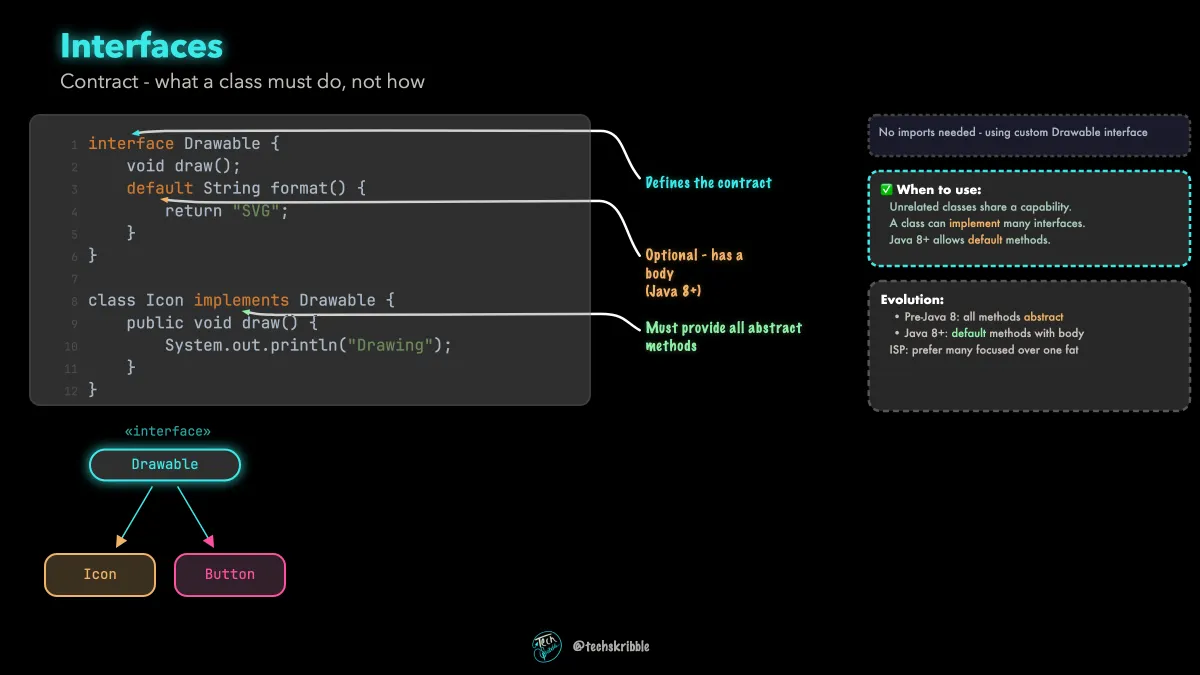
Interfaces

Interfaces

Contract - what a class must do, not how

beginnerFree
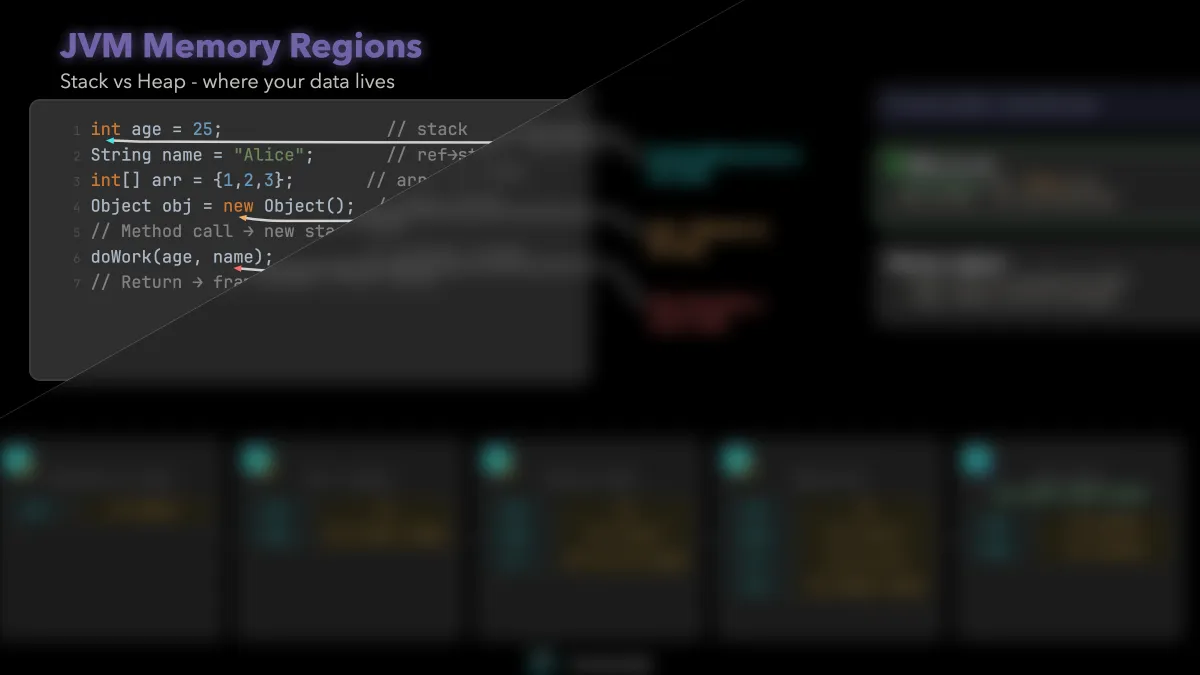
JVM Memory Regions๐Ÿ”’

JVM Memory Regions

Stack vs Heap - where your data lives

beginnerPremium
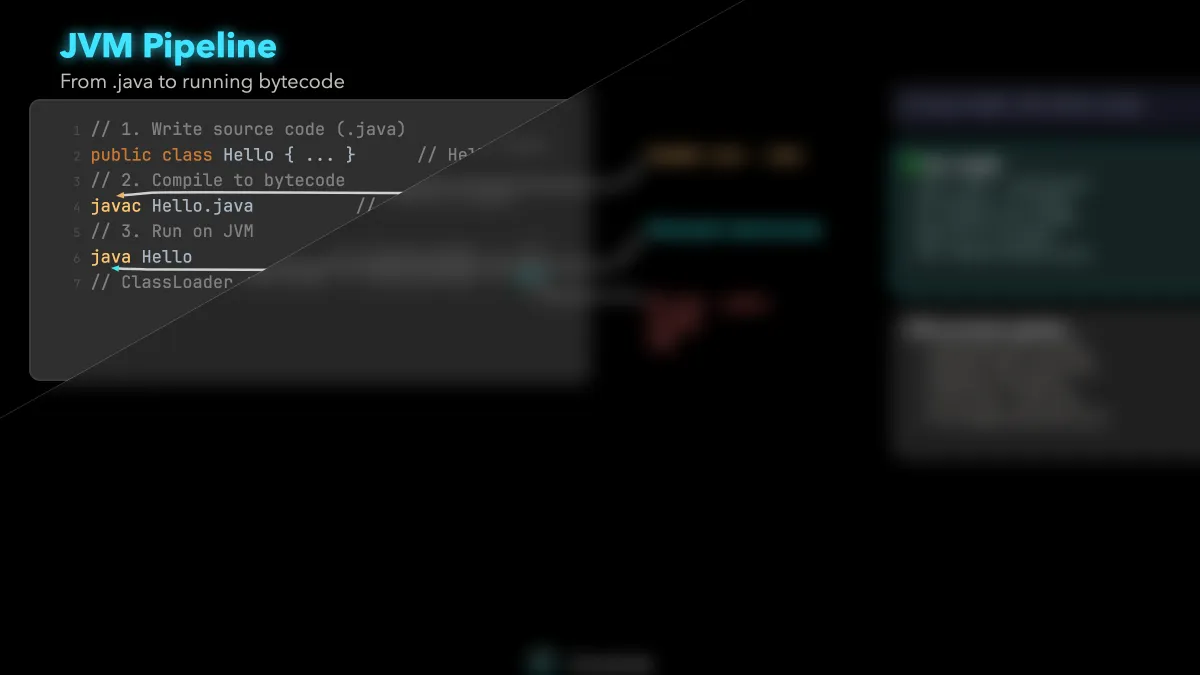
JVM Pipeline๐Ÿ”’

JVM Pipeline

From .java to running bytecode

beginnerPremium
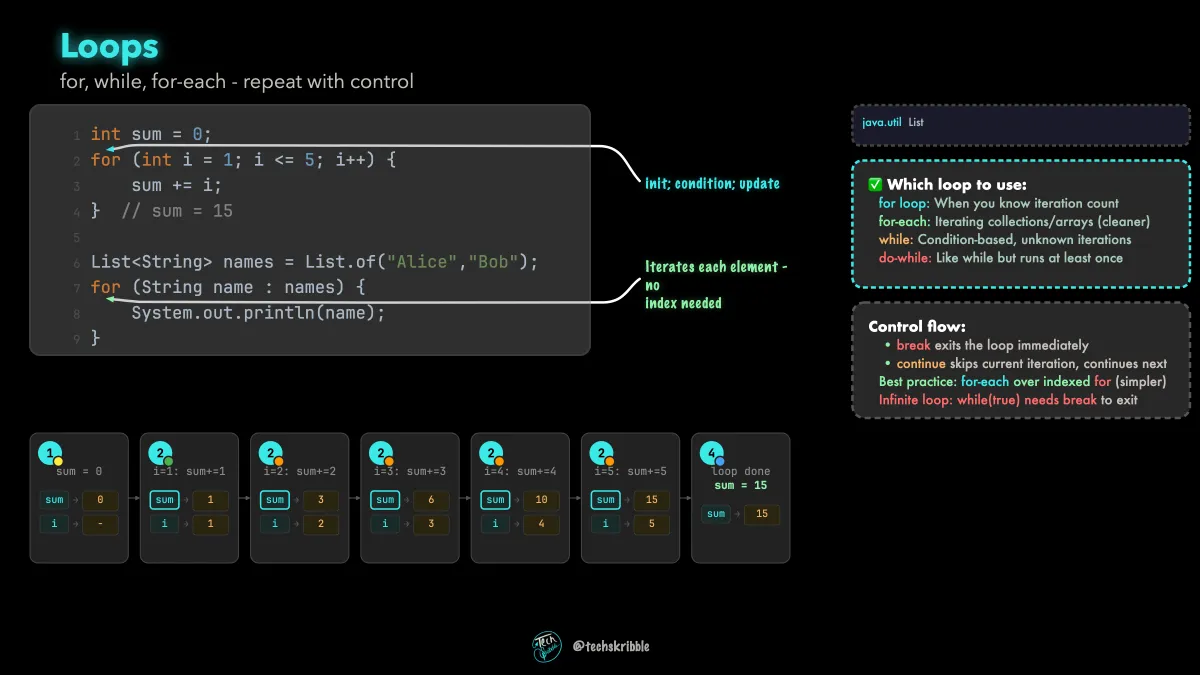
Loops

Loops

for, while, for-each - repeat with control

beginnerFree
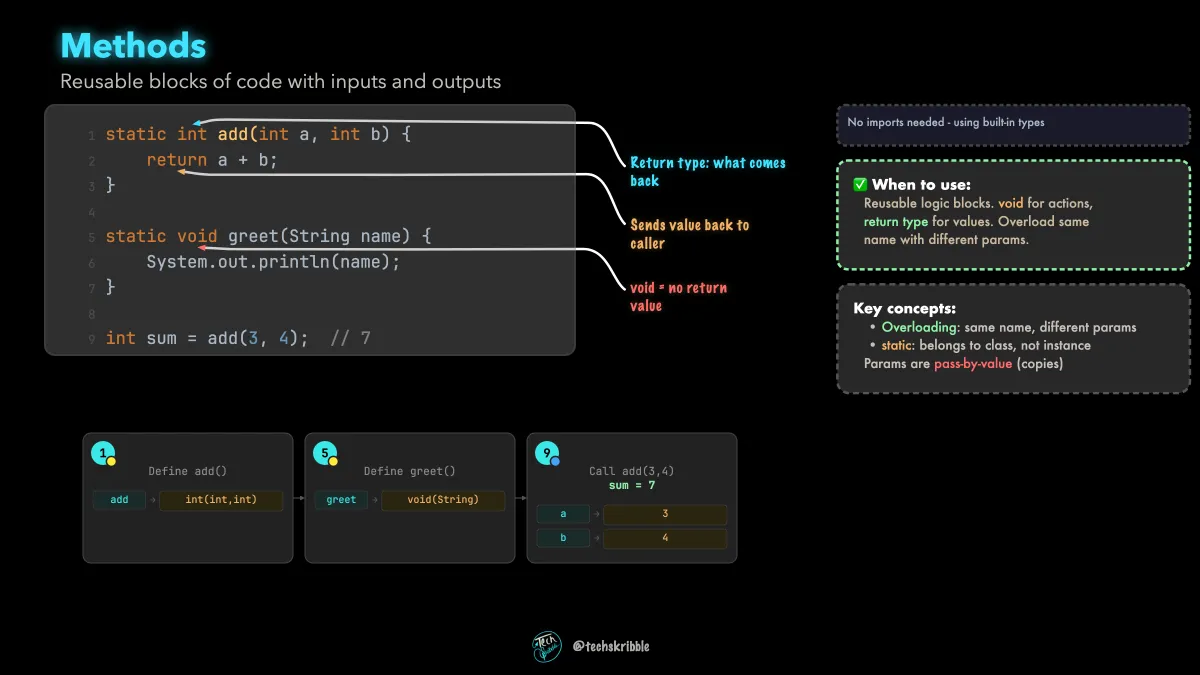
Methods

Methods

Reusable blocks of code with inputs and outputs

beginnerFree
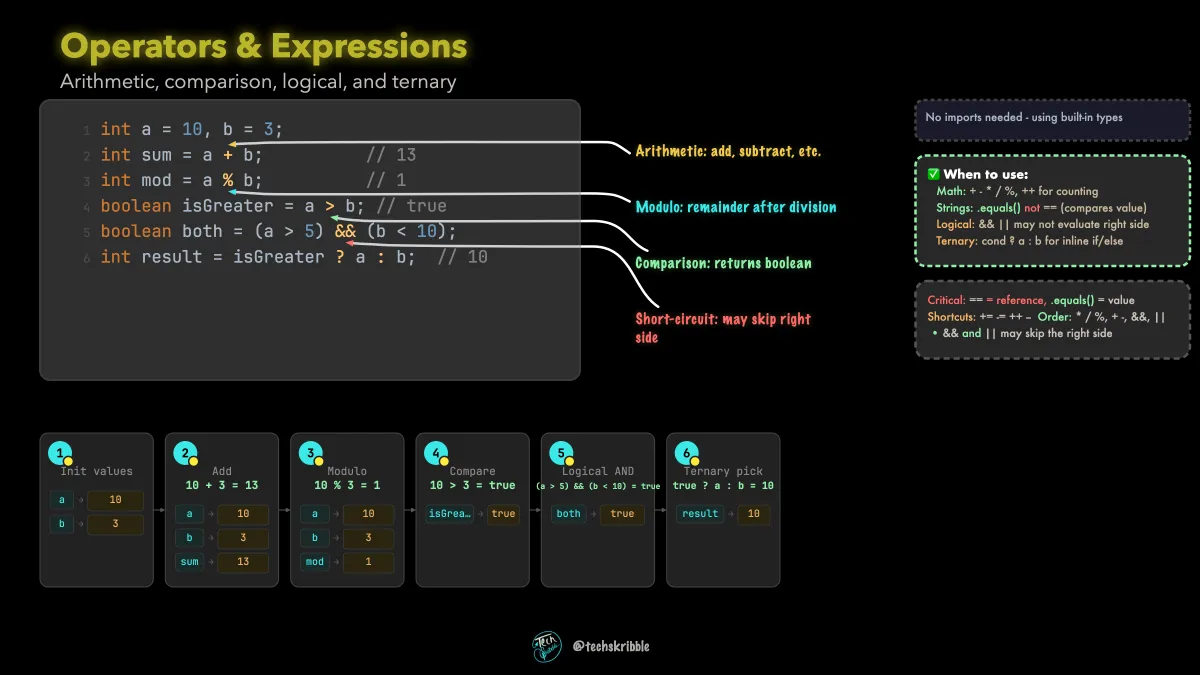
Operators & Expressions

Operators & Expressions

Arithmetic, comparison, logical, and ternary

beginnerFree
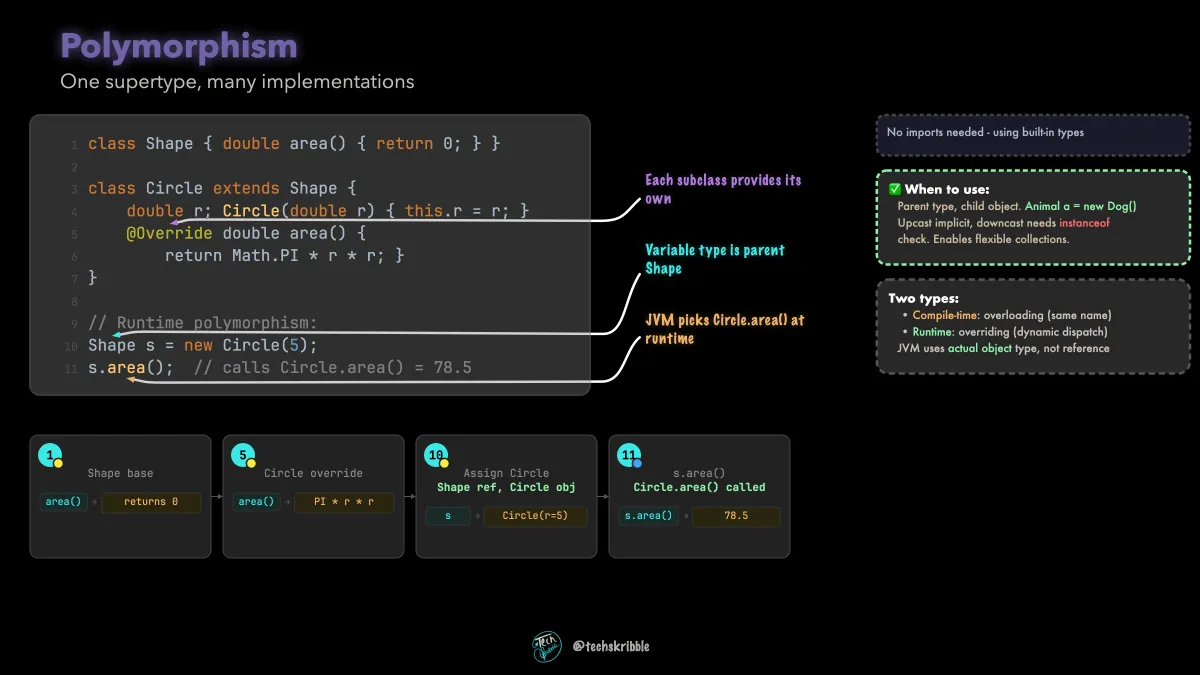
Polymorphism

Polymorphism

One supertype, many implementations

beginnerFree
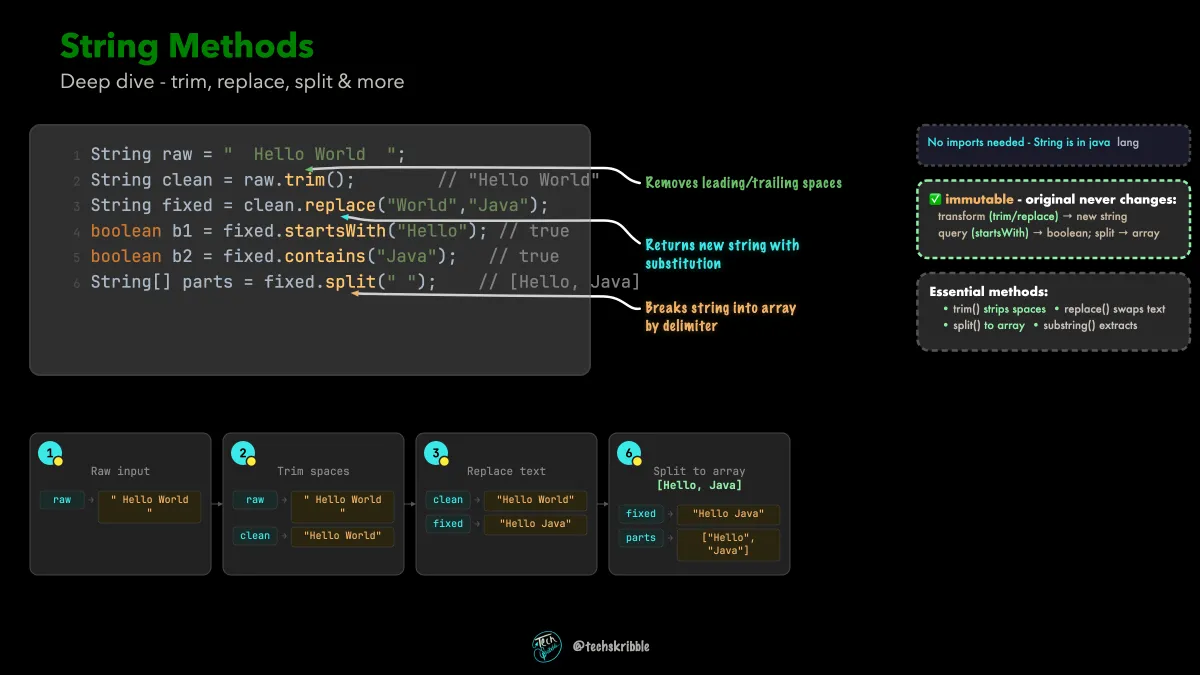
String Methods

String Methods

Deep dive - trim, replace, split & more

beginnerFree
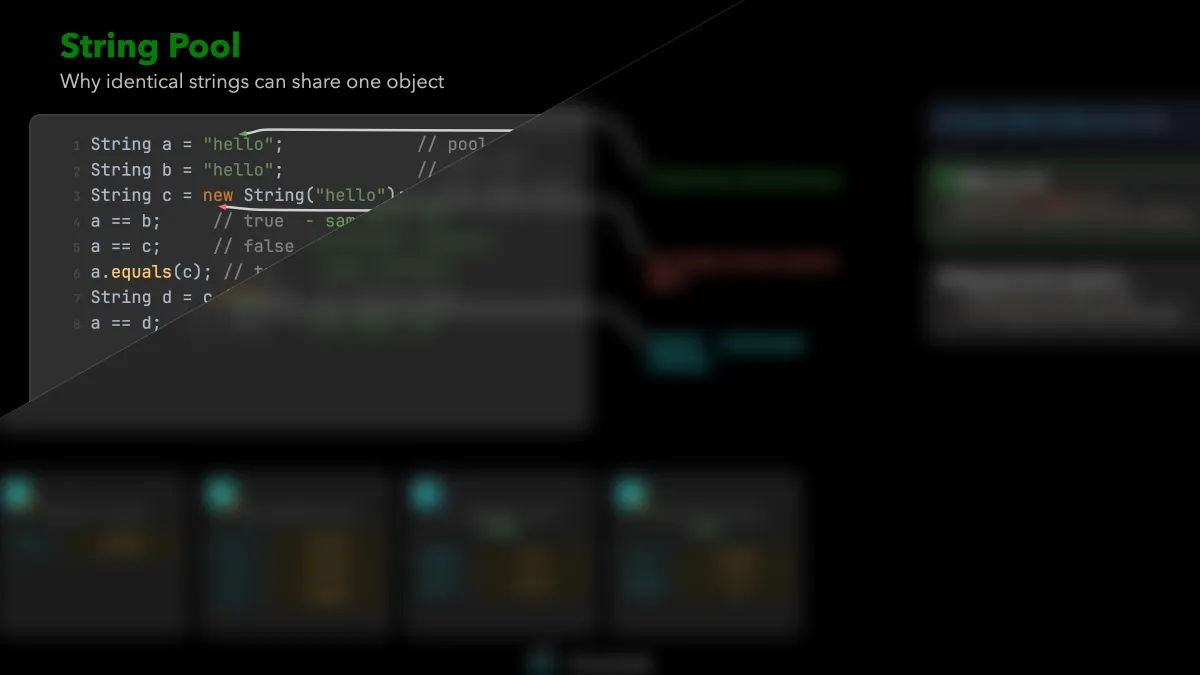
String Pool๐Ÿ”’

String Pool

Why identical strings can share one object

beginnerPremium
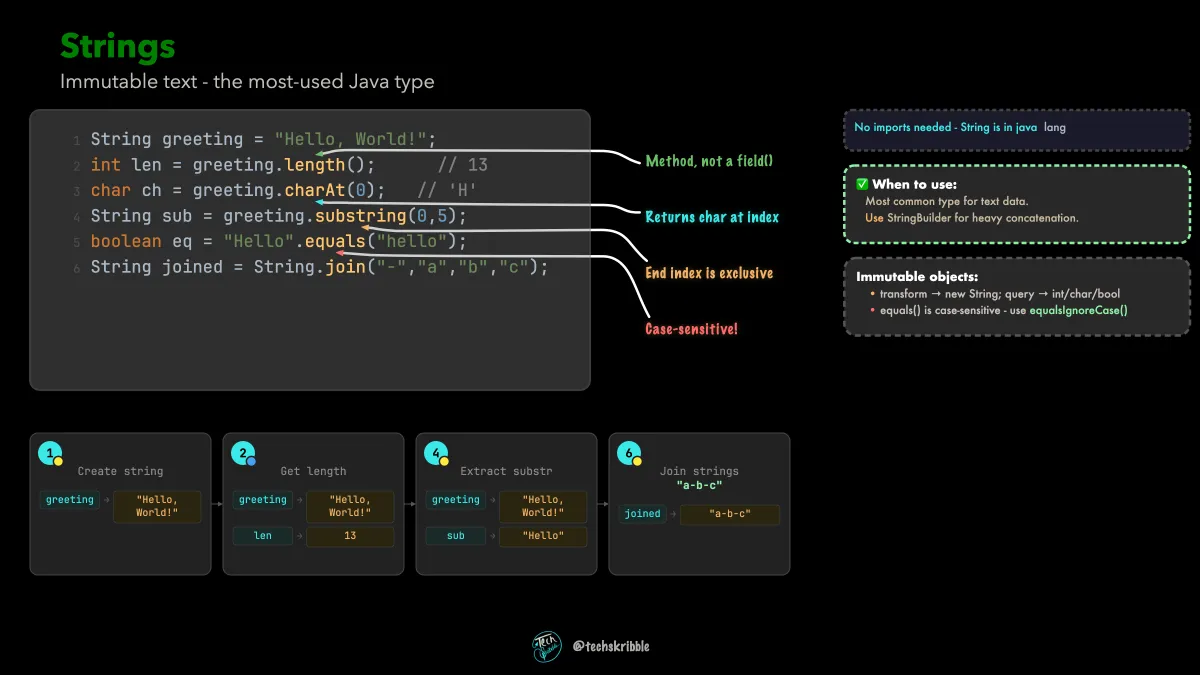
Strings

Strings

Immutable text - the most-used Java type

beginnerFree
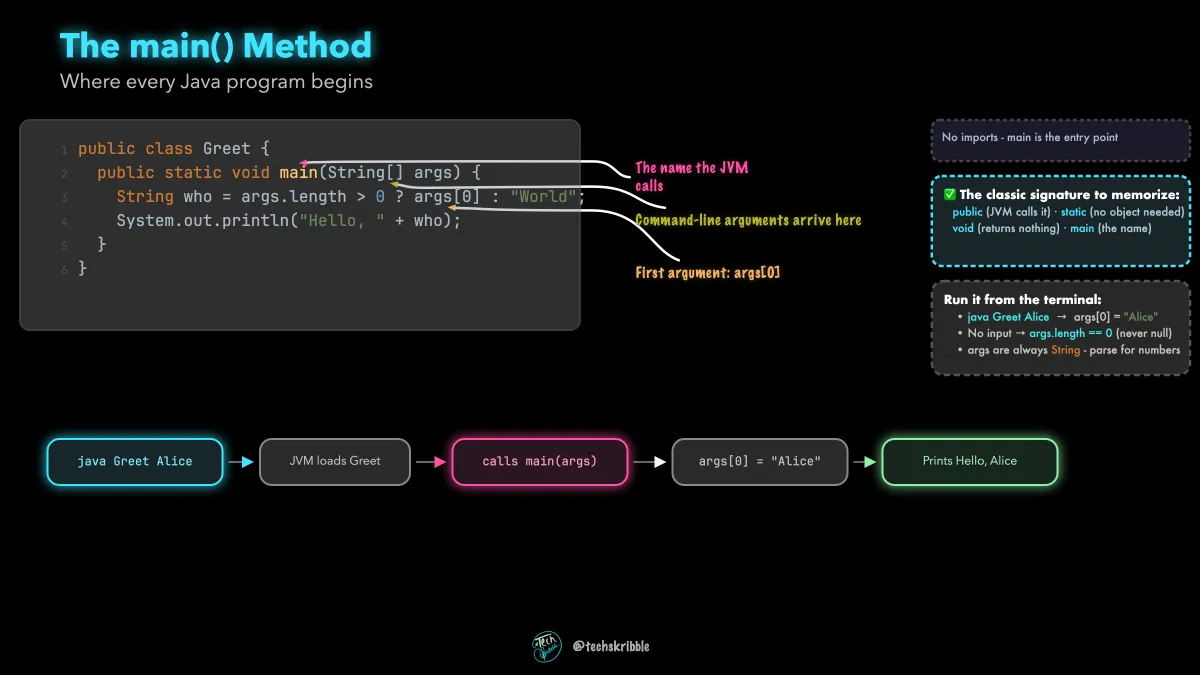
The main() Method

The main() Method

Where every Java program begins

beginnerFree
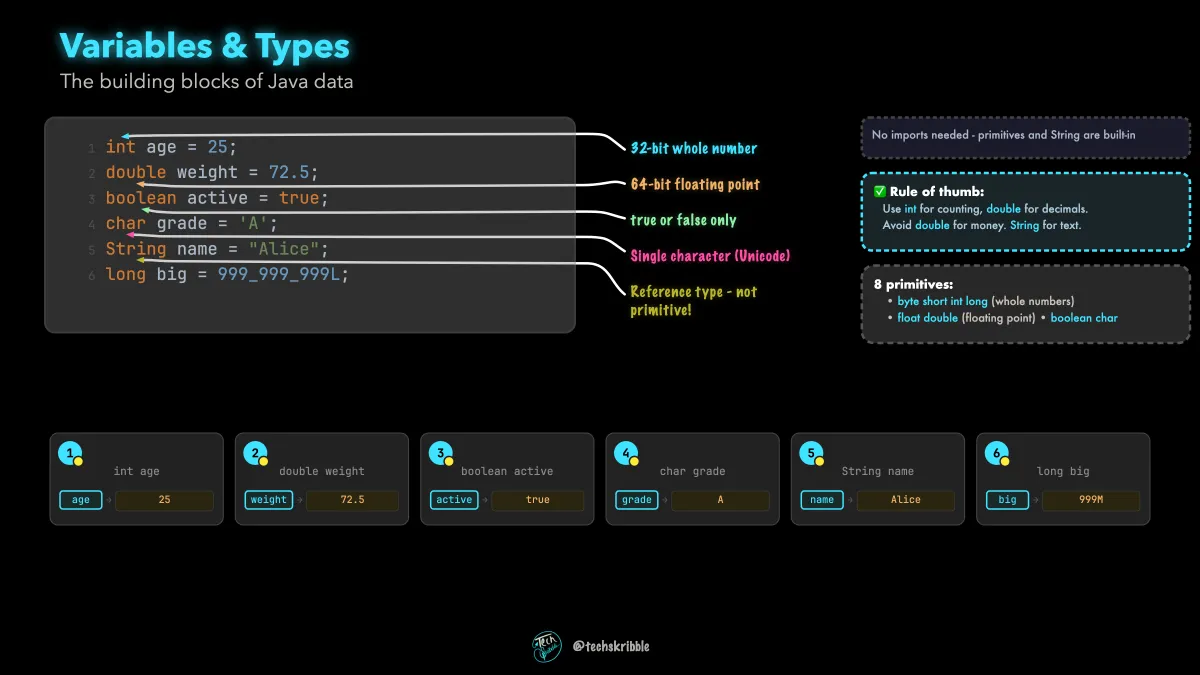
Variables & Primitive Types

Variables & Primitive Types

The building blocks of Java data

beginnerFree
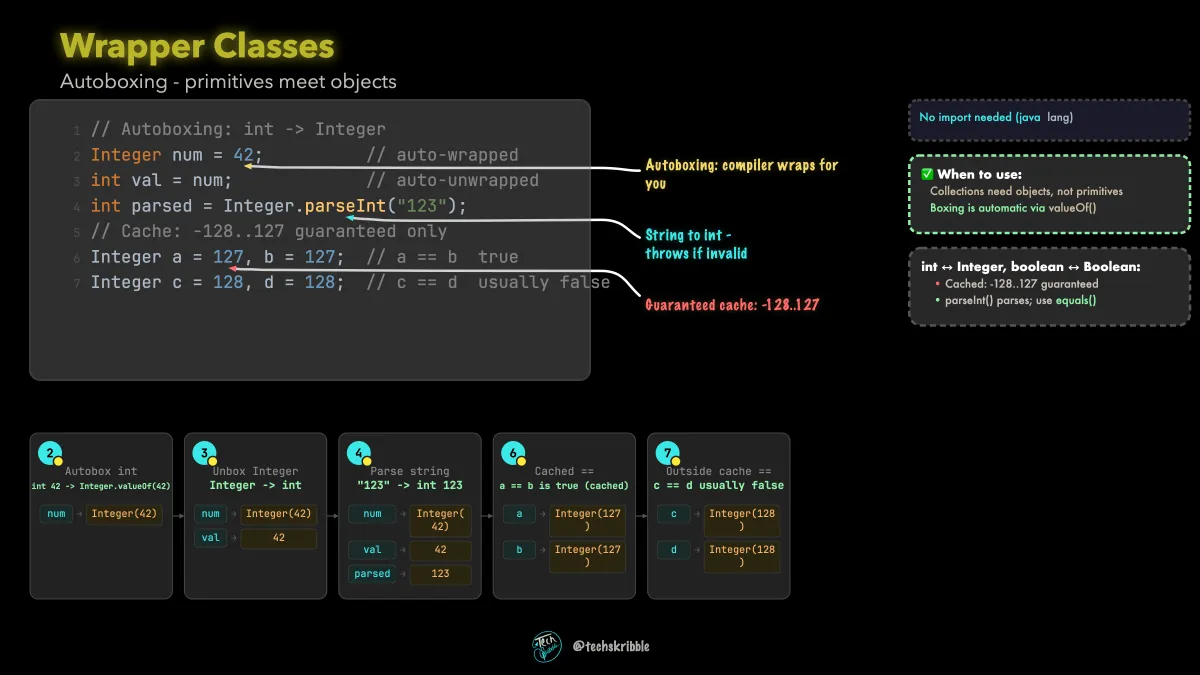
Wrapper Classes

Wrapper Classes

Autoboxing - primitives meet objects

beginnerFree
ArrayDeque๐Ÿ”’

ArrayDeque

Double-ended queue - fast at both ends

beginnerPremium
ArrayList: Index-Based Access๐Ÿ”’

ArrayList: Index-Based Access

Your go-to List for most use cases

beginnerPremium
Arrays๐Ÿ”’

Arrays

Fixed-size, indexed, type-safe containers

beginnerPremium
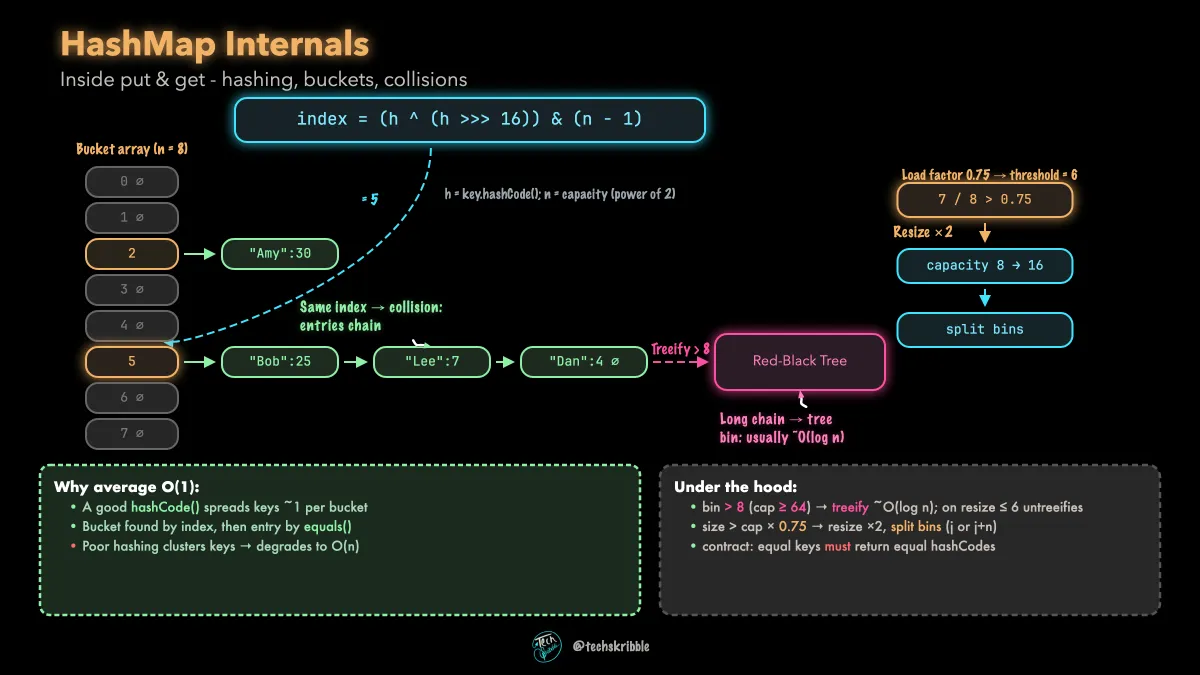
HashMap Internals

HashMap Internals

Inside put & get - hashing, buckets, collisions

intermediateFree
HashMap: Key-Value Lookup๐Ÿ”’

HashMap: Key-Value Lookup

Fast access by key - O(1) average

beginnerPremium
HashSet: No Duplicates Allowed๐Ÿ”’

HashSet: No Duplicates Allowed

Unique elements with average O(1) lookup

beginnerPremium
Iterating Collections๐Ÿ”’

Iterating Collections

for-each, Iterator, forEach - three ways to loop

beginnerPremium
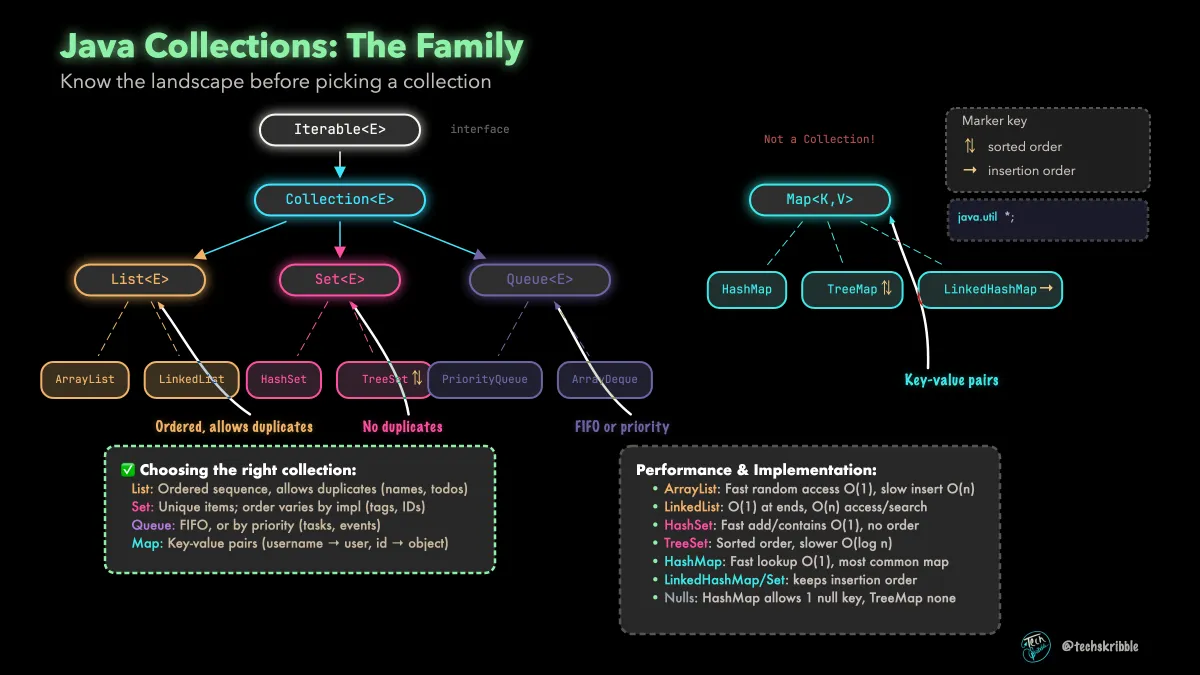
Java Collections: The Family

Java Collections: The Family

Know the landscape before picking a collection

beginnerFree
LinkedList: Insert & Remove Fast๐Ÿ”’

LinkedList: Insert & Remove Fast

Doubly-linked nodes - O(1) at both ends

beginnerPremium
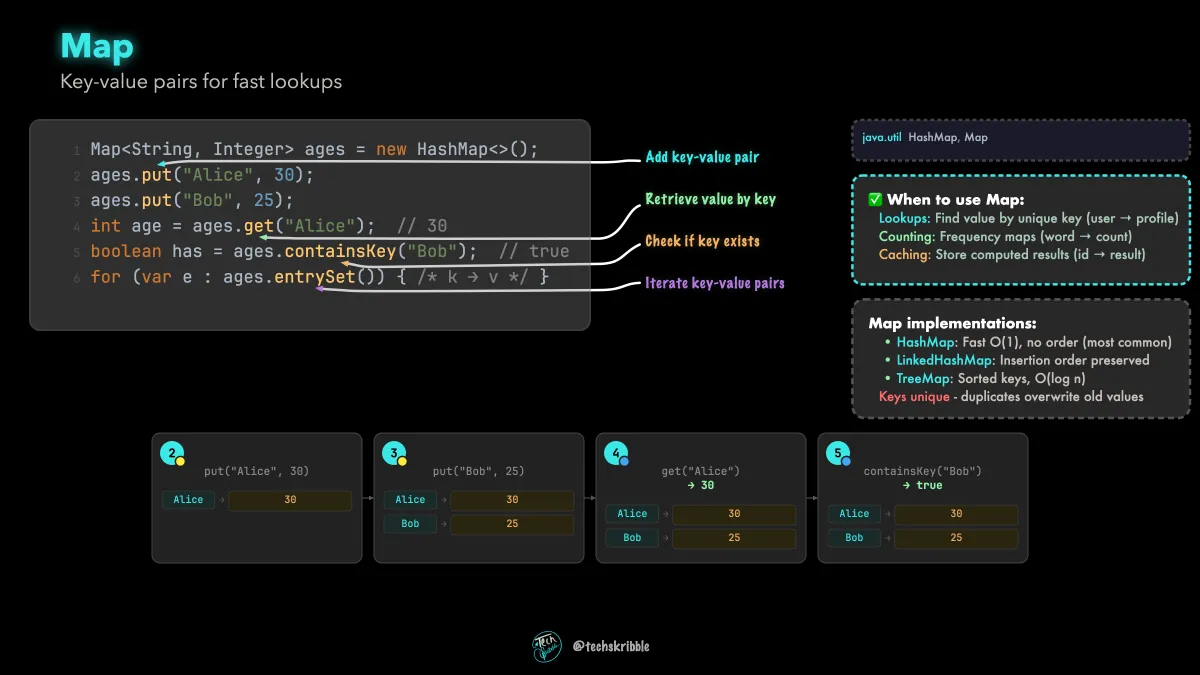
Map

Map

Key-value pairs for fast lookups

beginnerFree
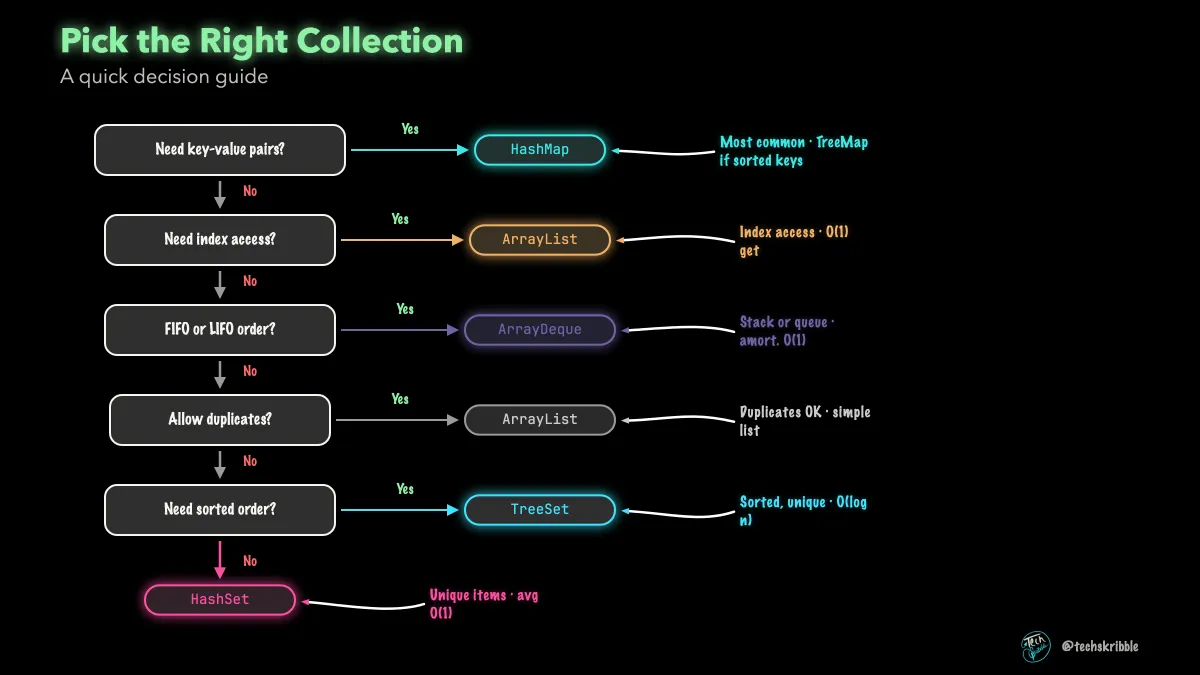
Pick the Right Collection

Pick the Right Collection

A quick decision guide

beginnerFree
PriorityQueue๐Ÿ”’

PriorityQueue

Heap-ordered queue - smallest out first

beginnerPremium
Queue & Deque๐Ÿ”’

Queue & Deque

FIFO processing - first in, first out

beginnerPremium
Sorting Collections๐Ÿ”’

Sorting Collections

Comparable vs Comparator - natural vs custom order

beginnerPremium
TreeMap: Sorted Keys๐Ÿ”’

TreeMap: Sorted Keys

Red-black tree - keys always in order

beginnerPremium
TreeSet: Sorted Unique๐Ÿ”’

TreeSet: Sorted Unique

Red-black tree - elements always in order, no duplicates

beginnerPremium
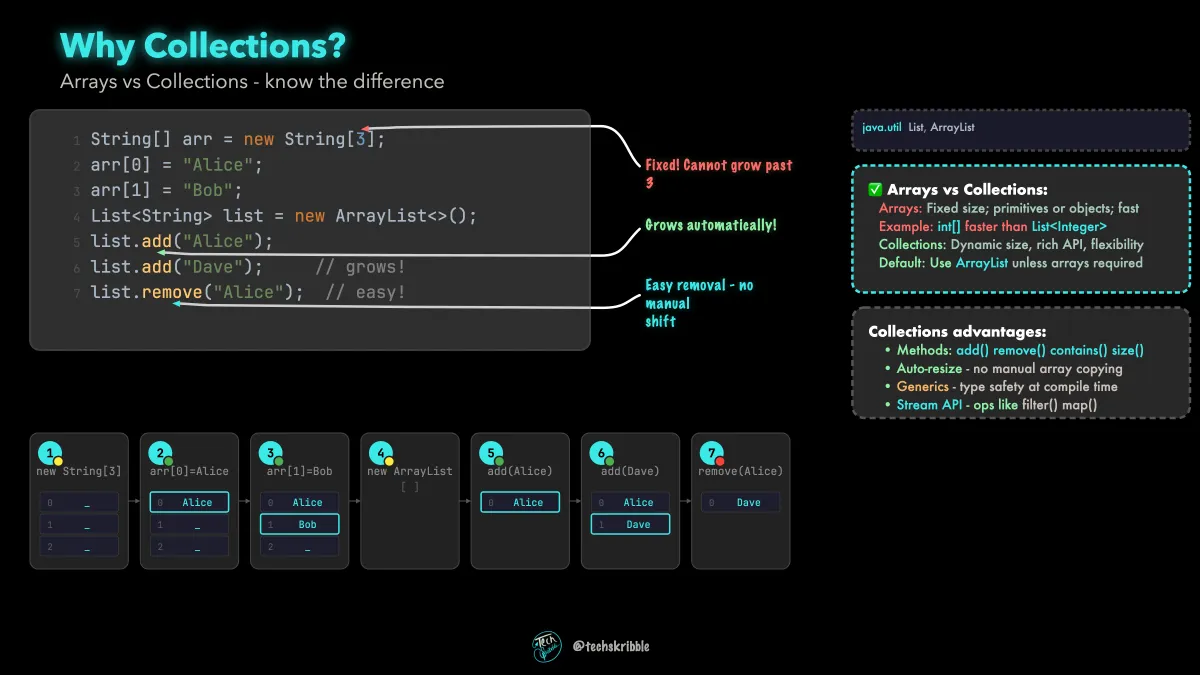
Why Collections?

Why Collections?

Arrays vs Collections - know the difference

beginnerFree
Functional Interfaces๐Ÿ”’

Functional Interfaces

Predicate & Function - lambdas with a contract

beginnerPremium
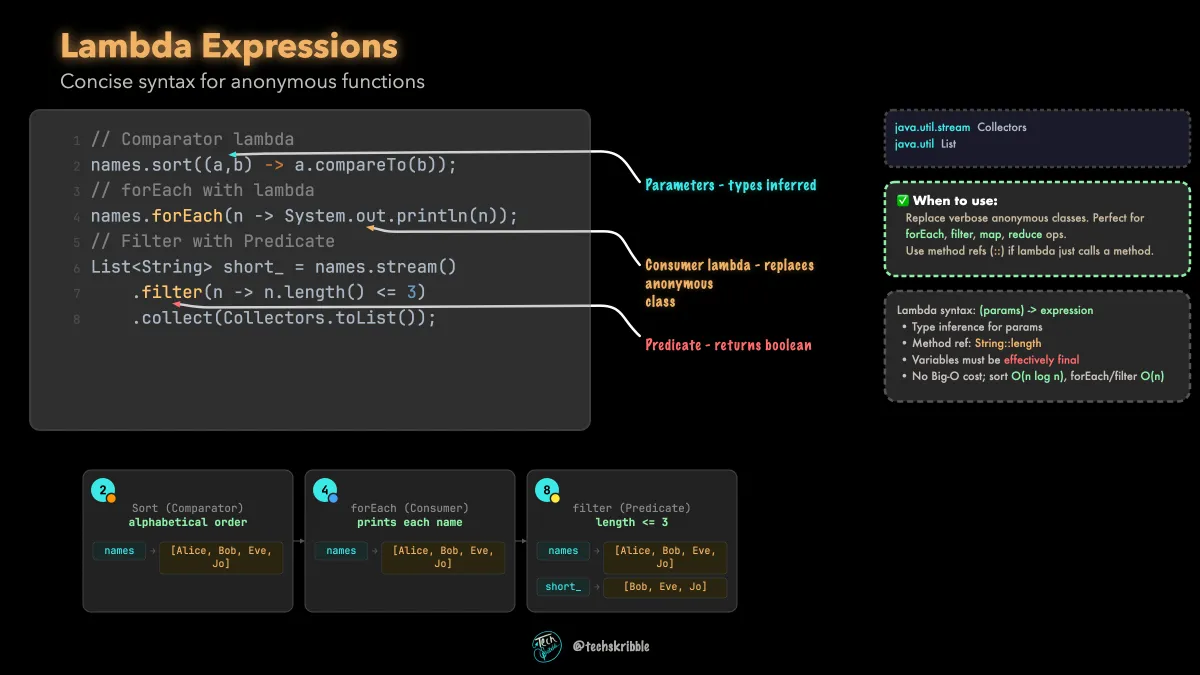
Lambda Expressions

Lambda Expressions

Concise syntax for anonymous functions

beginnerFree
Optional๐Ÿ”’

Optional

Represent an absent return value explicitly

beginnerPremium
Stream Collectors๐Ÿ”’

Stream Collectors

Recipes that collect() applies to a stream

beginnerPremium
Stream Pipeline๐Ÿ”’

Stream Pipeline

Transform collections step by step

beginnerPremium
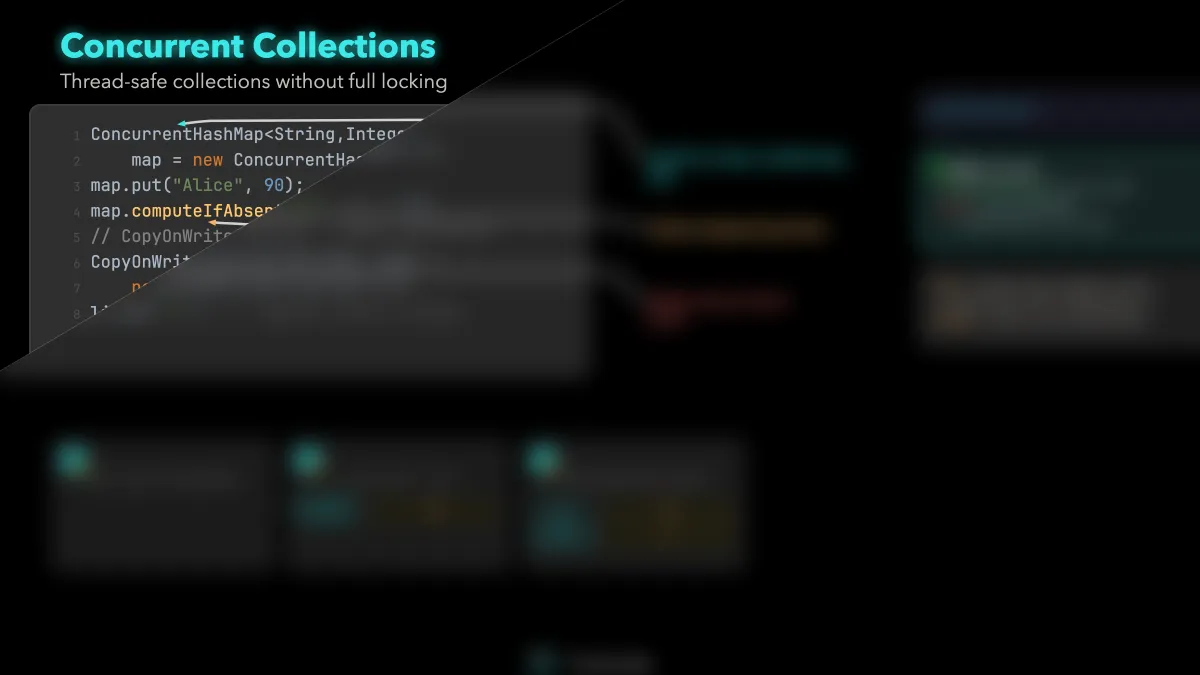
Concurrent Collections๐Ÿ”’

Concurrent Collections

Thread-safe collections without full locking

intermediatePremium
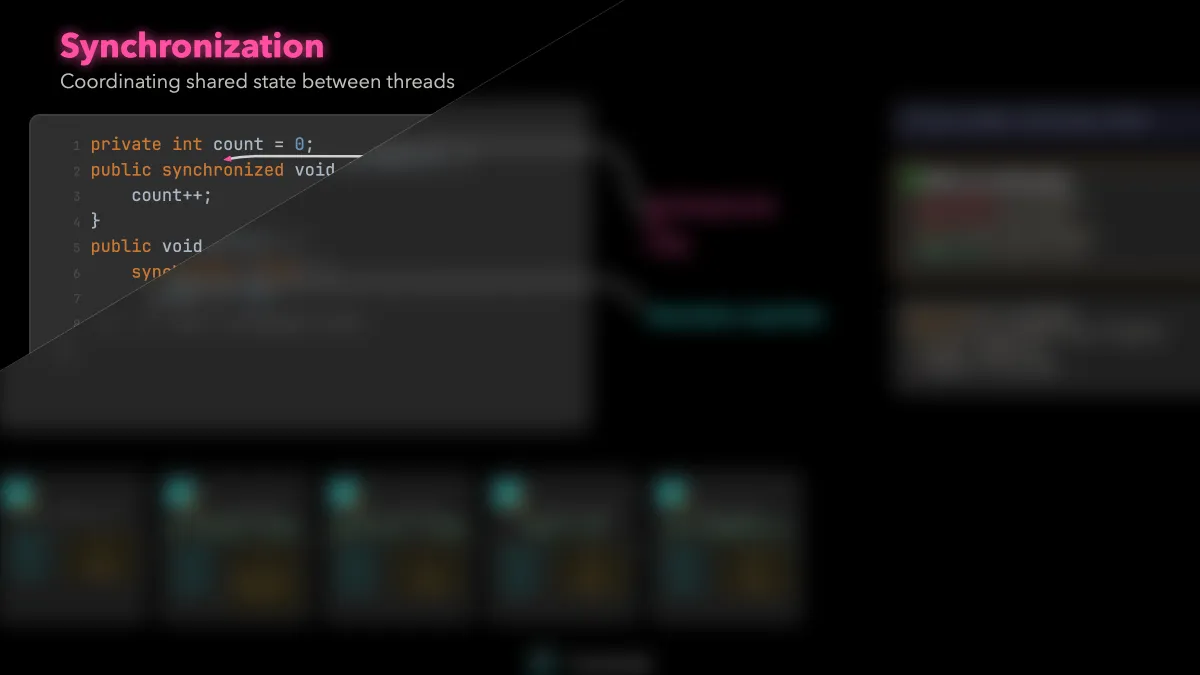
Synchronization๐Ÿ”’

Synchronization

Coordinating shared state between threads

intermediatePremium
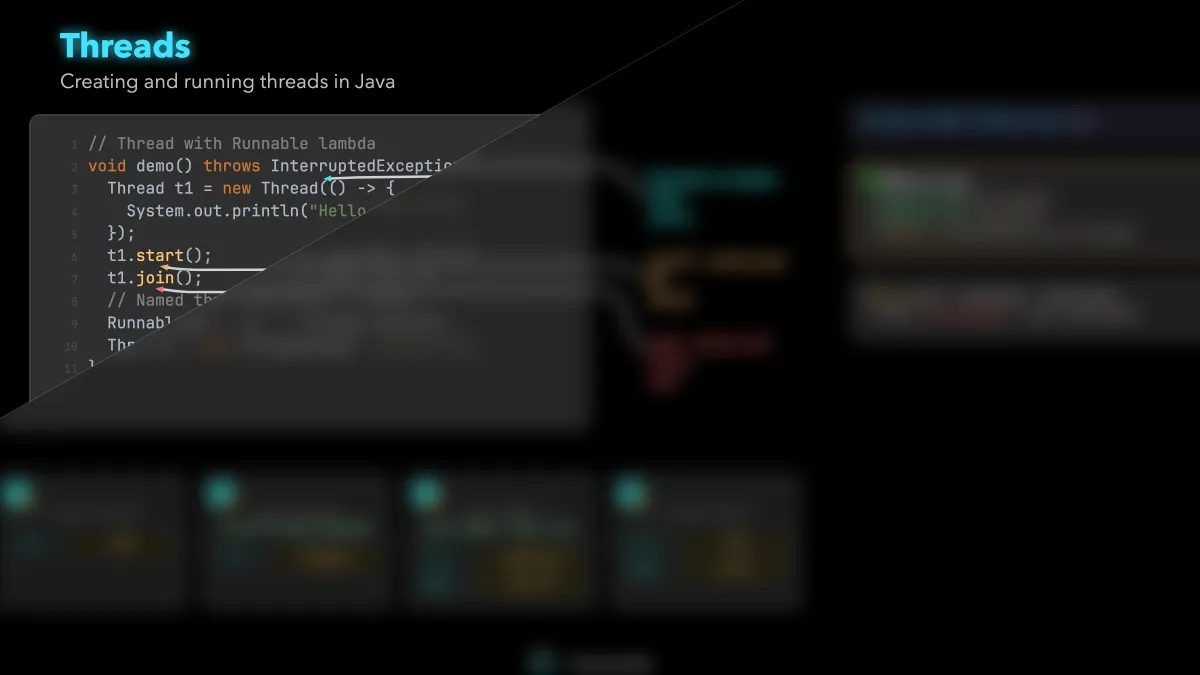
Threads๐Ÿ”’

Threads

Creating and running threads in Java

intermediatePremium
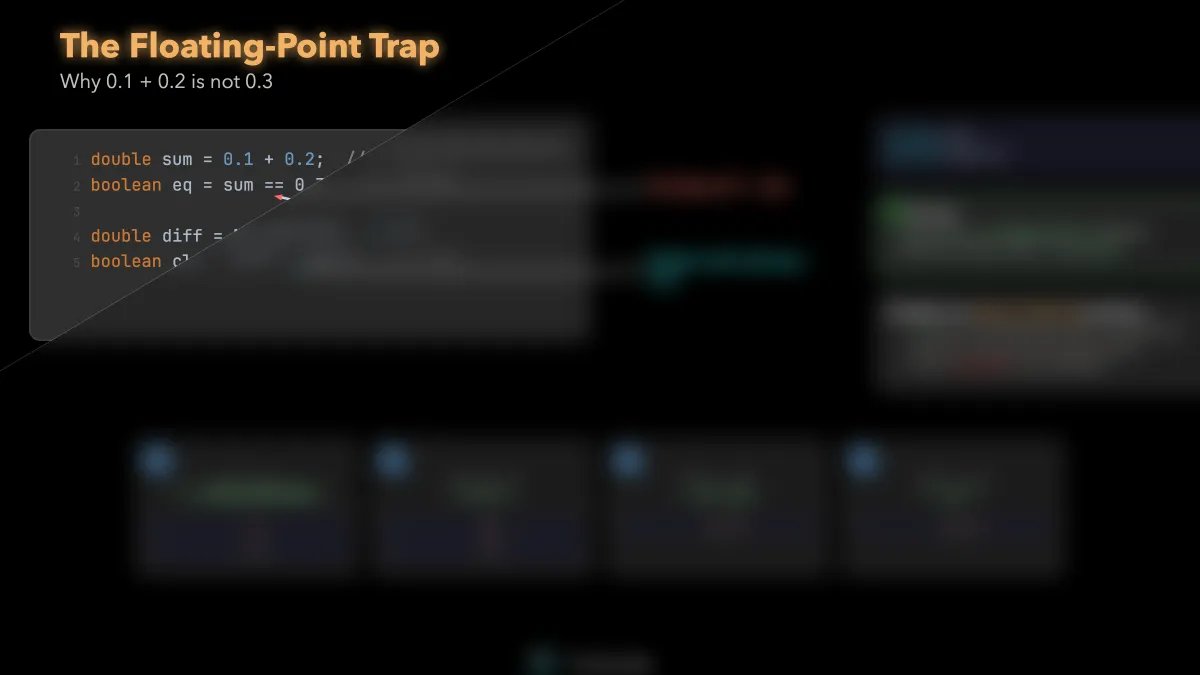
The Floating-Point Trap๐Ÿ”’

The Floating-Point Trap

Why 0.1 + 0.2 is not 0.3

intermediatePremium
The Integer Cache Trap๐Ÿ”’

The Integer Cache Trap

Why == lies for boxed values

intermediatePremium
The Mutable Key Trap๐Ÿ”’

The Mutable Key Trap

Why your HashSet loses the live object

intermediatePremium
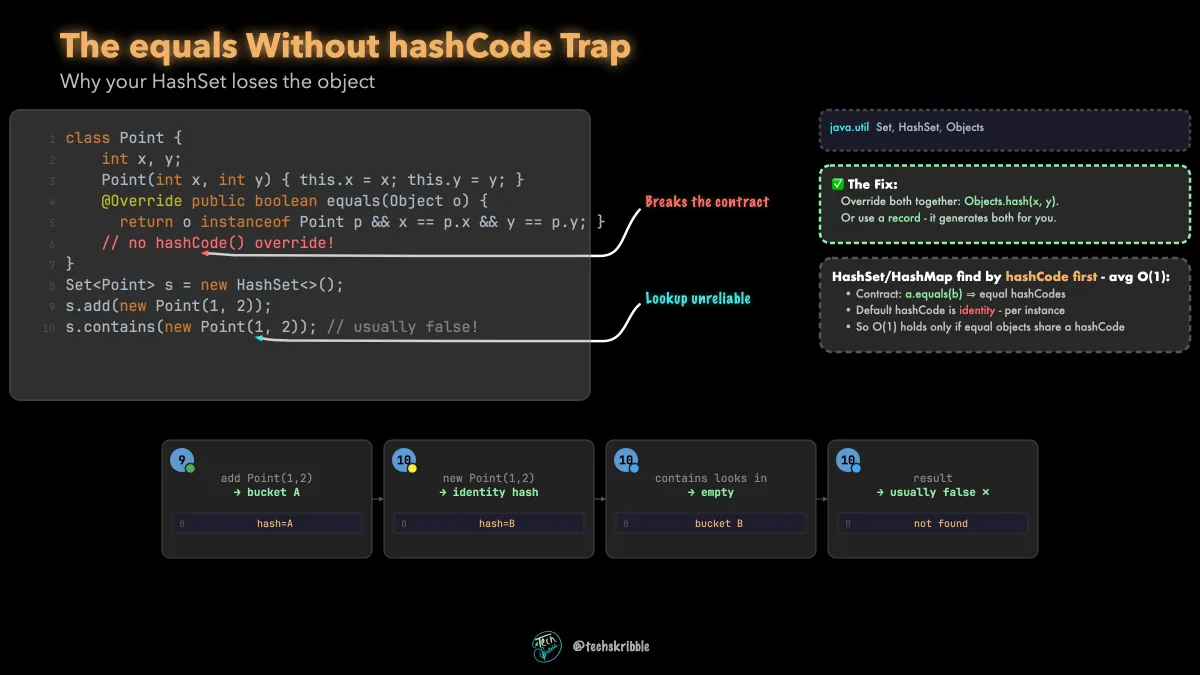
The equals Without hashCode Trap

The equals Without hashCode Trap

Why your HashSet loses the object

intermediateFree
The finally return Trap๐Ÿ”’

The finally return Trap

Why a return in finally hides bugs

intermediatePremium
The for-each Remove Trap๐Ÿ”’

The for-each Remove Trap

Why removing in a loop throws

intermediatePremium